• What is Devin? The AI software engineer everyone is talking about

    Artificial Intelligence is rapidly reshaping industries. From chatbots to generative AI tools, it has already changed how we work. But in software development, a new breakthrough is making headlines—Devin. Unlike simple coding assistants, Devin is being called the first AI software engineer that can work like a human developer. It doesn’t just write snippets of code; it plans, reasons, tests, and even deploys complete projects.

    This has sparked debates in the tech community. Can AI truly take on the responsibilities of a software engineer? Or is Devin just another overhyped tool? In this guide, we’ll explore what Devin really is, how it works, its strengths, weaknesses, and what it means for the future of programming.

    The Rise of Devin: A New Kind of AI

    Devin represents a new phase of AI development—autonomous software engineering. Until now, most AI coding tools were built as copilots, assisting developers by generating code suggestions or automating small tasks. Devin is different. It can take a complete request, break it into steps, and deliver a working solution without continuous human input.

    This leap in capability is not just about better code generation. It’s about reasoning, planning, and execution. Devin is designed to function like a teammate rather than a passive assistant. That’s why many see it as the beginning of a major shift in how software will be built in the future.

    Who Created Devin?

    Devin was developed by Cognition Labs, a company focused on building AI agents that can perform real-world tasks. The team behind Devin is made up of experienced software engineers and researchers who wanted to go beyond the limitations of current AI tools. Instead of simply writing lines of code, they wanted an AI that could think like a developer.

    The creators of Devin believe that the future of programming will involve human-AI collaboration. Their goal was not to replace developers but to build an AI that can handle the time-consuming parts of development, leaving humans free to focus on architecture, creativity, and complex problem-solving.

    What Makes Devin Different?

    Most AI code tools, like GitHub Copilot or ChatGPT’s code features, work reactively. They take a prompt and generate code snippets. Devin is proactive. It reads requirements, makes a plan, and then works step by step to achieve the goal—just like a human engineer would.

    What truly sets Devin apart is that it operates in its own secure environment. It can run:

    • A built-in code editor for writing and organizing files.
    • A terminal for running scripts and installing dependencies.
    • A web browser for researching documentation or APIs.

    This means Devin doesn’t just generate static code. It actively interacts with tools, debugs problems, and delivers functioning software. In other words, it mimics the entire workflow of a junior developer.

    How Devin Works Step by Step

    Unlike traditional AI coding tools that only respond to direct prompts, Devin follows a structured workflow similar to how a human developer approaches a task. It doesn’t just write code blindly. Instead, it analyzes requirements, creates a plan, implements the solution, tests it, and deploys the final output. Let’s break down these steps in detail.

    Planning and Understanding

    When given a new task, Devin begins by understanding the overall objective. For example, if you ask it to build a simple web application with user login and registration, it doesn’t immediately start coding. Instead, it takes time to:

    • Analyze the requirements – What kind of login? Should it use email, username, or social login?
    • Identify dependencies – Does it need a database like PostgreSQL? Will it require a frontend framework?
    • Create a plan – It breaks the big task into smaller steps, such as database design, authentication logic, and UI creation.

    This planning phase is crucial because it ensures Devin doesn’t make random guesses. Instead, it logically approaches the task, similar to how a human developer would think before writing code. This makes its output much more reliable compared to basic AI code generators.

    Coding and Implementation

    After the planning phase, Devin begins the actual coding. It uses its internal knowledge of programming languages and frameworks to implement the planned solution. What makes Devin stand out is its flexibility—it isn’t locked to one technology. It can write in Python, JavaScript, TypeScript, Java, or other popular languages, depending on the project’s needs.

    Devin also follows coding conventions and best practices. For instance, if you specify that your team uses ESLint rules for JavaScript or PEP 8 for Python, Devin will automatically adhere to those guidelines. This means the code is not only functional but also maintainable.

    Moreover, Devin organizes files, sets up proper folder structures, and even writes documentation for the code it generates. This level of detail makes it feel more like a junior developer working under your guidance rather than just an AI tool.

    Testing and Debugging

    After writing the code, Devin doesn’t just stop. It enters the testing phase to ensure everything works as expected. It can:

    • Run unit tests – to validate individual functions or modules.
    • Perform integration testing – to check if different parts of the application work well together.
    • Analyze runtime errors – If something fails, Devin investigates the issue, identifies the bug, and applies a fix.

    This self-correcting loop is one of Devin’s most powerful features. Traditional AI code tools often produce code that looks correct but fails during execution. Devin goes a step further by actively testing and debugging before delivering the final output, saving developers valuable time.

    Deployment and Delivery

    Once the code passes all tests, Devin can also handle deployment. It can push the code to GitHub, create a Docker container, or even deploy the application to cloud platforms like AWS or Vercel, depending on the setup you provide.

    It also generates a clear summary of what it did, which helps developers understand the changes. This makes Devin more like a real team member who reports their progress rather than a simple tool that spits out code snippets.

    In short, Devin’s workflow mirrors that of a real software engineer—from understanding the problem to delivering a working solution. This is what makes it so unique compared to previous generations of AI coding assistants.

    What Devin Can Actually Do

    Devin isn’t just a simple code generator—it’s designed to function like a real developer who can take on different kinds of programming tasks. While it’s not yet as skilled as a senior engineer, it already shows impressive capabilities that make it useful in many situations. Let’s look at some practical use cases where Devin can shine.

    Ideal Use Cases

    Devin is most effective when dealing with well-defined tasks or repetitive work. It can save developers hours of time by handling routine parts of software development. Some of the ideal use cases include:

    • Bug fixing: Devin can scan a codebase, detect small bugs or syntax errors, and apply fixes automatically. For example, it can spot a missing dependency, fix a broken function, or correct API call errors.
    • Code migration: If you need to move from one framework or library to another, Devin can handle the migration. For instance, it can upgrade a React project to the latest version or convert a Python 2 project to Python 3.
    • Feature development: Devin can implement simple features without needing much guidance. For example, adding a new contact form to a website or creating a basic REST API endpoint.
    • Automated testing: It can write unit tests and integration tests for existing codebases, improving code quality without manual effort.
    • Documentation: Devin can analyze code and generate clear documentation, which is useful for onboarding new developers.

    In these scenarios, Devin acts like a junior developer who can take over routine tasks, allowing human developers to focus on more critical and creative work.

    Real-World Examples

    To understand Devin’s capabilities better, let’s look at some real-world scenarios where it has already proven useful:

    • Building small applications: Devin has been tested to create simple SaaS products from scratch. For example, it successfully built a task-tracking app with a frontend, backend, and database integration—all without step-by-step instructions.
    • Improving legacy codebases: In one demo, Devin was asked to update an outdated codebase to use modern libraries. It scanned the old project, identified deprecated functions, and replaced them with updated ones.
    • Solving benchmark coding tasks: Devin has performed exceptionally well on SWE-Bench, a benchmark used to test AI’s ability to solve software engineering problems. It completed tasks that many older AI coding tools could not handle.
    • Handling cloud deployment: Devin was able to deploy a web application to a cloud platform, set up the environment, and configure hosting without human intervention.

    These examples show that Devin isn’t just a theoretical concept—it can already perform practical tasks that would normally require hours of developer time. However, it still works best on smaller, well-scoped tasks rather than massive enterprise projects.

    How Teams Are Using Devin

    Startups and small development teams are the earliest adopters of Devin. For them, having an AI agent that can take care of repetitive tasks is a huge productivity boost. Instead of spending time on bug fixes or writing boilerplate code, human developers can focus on product strategy and core features.

    In larger teams, Devin can act as a helper during code reviews, a tester for experimental features, or even a prototype builder for new ideas. It’s not yet replacing full-time developers, but it’s becoming a valuable sidekick in the software development process.

    The Limitations of Devin

    While Devin is an impressive step forward in AI-driven software development, it’s not perfect. It still has important limitations that prevent it from completely replacing human engineers. Understanding these weaknesses is essential before relying on Devin for critical projects.

    Not a Full Human Replacement

    Devin performs well on small, well-defined tasks. However, it still struggles with the kind of abstract thinking that senior developers excel at. For example:

    • Lack of deep architectural insight: Devin can follow best practices, but it doesn’t yet design complex system architectures with long-term scalability in mind.
    • Limited creative problem-solving: Human developers can come up with innovative approaches when requirements are unclear or when trade-offs are needed. Devin, by contrast, sticks to known patterns.
    • Weak in ambiguous projects: If a project has unclear requirements, Devin can make wrong assumptions, leading to wasted effort or incorrect implementations.

    This means that Devin is better suited as a helper or junior-level developer rather than someone who can take over an entire complex software project.

    Dependent on Quality of Instructions

    Like most AI systems, Devin’s performance is highly dependent on the quality of the instructions it receives. If you give it vague or incomplete prompts, it may produce incorrect or suboptimal results. For example:

    • Too much freedom can lead to errors: If Devin is told “build me an app,” it might choose a random tech stack or design decisions that don’t match your needs.
    • Needs detailed context: Without a clear understanding of an existing codebase or project goals, it may write code that conflicts with team standards or existing infrastructure.

    In practice, this means you still need a human engineer to guide Devin and validate its output, especially for larger or business-critical projects.

    Limited Understanding of Business Logic

    Devin doesn’t fully understand business context or domain-specific rules the way a human developer can. For instance, in a healthcare application, a human engineer knows that patient data privacy is critical and would design accordingly. Devin might build a working system but overlook regulatory requirements or nuanced workflows.

    This limitation makes it risky to rely solely on Devin for applications that involve sensitive data, strict compliance, or highly specialized business domains.

    Still Learning and Evolving

    Devin is a new technology, which means it’s still improving. While it performs well in controlled environments, it may struggle in large-scale, real-world enterprise settings with complex integrations. It also lacks the intuition that experienced developers gain over years of working with specific technologies.

    In other words, Devin is powerful, but it’s still like a promising intern—it needs supervision, mentorship, and guidance from human engineers to reach its full potential.

    How Devin Impacts the Future of Software Development

    The arrival of Devin has sparked both excitement and concern in the developer community. Some see it as a powerful tool that will improve productivity. Others fear it might replace human jobs. The reality lies somewhere in between—Devin is likely to transform software development, not simply replace developers.

    Will Devin Replace Software Engineers?

    One of the most common questions is whether Devin will take away developer jobs. In the short term, the answer is no. Devin is best seen as an assistant, not a competitor. It helps by automating repetitive tasks like bug fixes, boilerplate code, and basic testing.

    However, it does mean that the role of a software engineer will evolve. Instead of spending hours writing routine code, developers will:

    • Focus on higher-level architecture – making decisions about scalability, security, and system design.
    • Work more as AI supervisors – guiding and reviewing AI-generated output.
    • Handle creative problem-solving – where human intuition and business knowledge are essential.

    So while Devin may reduce the demand for entry-level repetitive coding, it will also create new opportunities for developers who can collaborate effectively with AI.

    How Teams Will Evolve with AI Developers

    In the near future, software teams may include a mix of human developers and AI agents like Devin. Here’s how team dynamics could change:

    • AI as a junior developer: Devin can handle small tasks, code reviews, and testing while humans take care of complex features.
    • Faster prototyping: Teams can build MVPs (minimum viable products) much faster with Devin handling initial implementation.
    • Reduced maintenance load: AI agents can manage bug fixes and updates, freeing humans for more strategic work.

    This means teams may become smaller but more efficient, with each developer managing more output through AI support.

    Future Trends in AI-Powered Development

    Devin is just the beginning of a larger trend where AI agents take on more autonomous roles in software development. We can expect:

    • AI pair programming: Future AI tools will work alongside humans in real-time, understanding code context and suggesting improvements instantly.
    • Fully autonomous AI teams: Over time, multiple AI agents may collaborate like a real team—one handling frontend, another backend, another testing.
    • AI-driven project management: AI may also help plan timelines, assign tasks, and even manage deployments.

    While this future is exciting, it also raises ethical and economic questions. How will junior developers gain experience if AI handles most beginner-level work? Will companies rely too heavily on AI and lose critical in-house expertise? These are questions the tech community will need to address as tools like Devin evolve.

    The Human Advantage

    Despite its capabilities, Devin lacks emotional intelligence, creativity, and deep domain expertise. Human developers still have a unique advantage in:

    • Understanding nuanced business needs and translating them into technical solutions.
    • Making creative design choices beyond what AI has learned from past data.
    • Collaborating with stakeholders to align technology with business goals.

    So rather than replacing humans, Devin is more likely to become a powerful partner that enhances developer productivity.

    Conclusion

    Devin represents a major shift in how software is built. It is more than just another AI coding assistant—it’s an autonomous software engineer capable of planning, coding, testing, and even deploying applications. While it has clear limitations, it already shows huge potential to improve productivity and reduce the time needed for routine development tasks.

    However, Devin is not here to replace human developers entirely. Instead, it acts as a junior teammate, handling repetitive work while humans focus on creativity, architecture, and complex problem-solving. As teams learn to collaborate with AI tools like Devin, we will likely see a future where software development is faster, more efficient, and more accessible.

    If you’re interested in exploring similar tools that are shaping the future of programming, you can check out this curated list of AI Agents for Software Development. These agents are transforming the way developers build, maintain, and ship software, making it easier than ever to bring ideas to life.

    The key takeaway? AI won’t replace developers—it will augment their abilities. Those who learn to collaborate with AI like Devin will stay ahead in the evolving world of software engineering.

  • Lovable vs. Bolt: Which AI coding tool is best?

    The rise of AI in software development has opened doors for faster, smarter, and more accessible app creation. Among the many tools available today, Lovable and Bolt have caught attention for their ability to generate full-fledged apps with simple inputs.

    Both tools promise to turn ideas into working code using the power of generative AI. However, they serve slightly different audiences and workflows. While Lovable emphasizes planning and structure, Bolt focuses on speed and flexibility. So which one suits your project better?

    This comparison will break down each tool across key categories like ease of use, backend support, integration capabilities, pricing models, and more. Whether you’re a designer testing your first app or a developer prototyping quickly, this guide will help you make the right choice.

    What Are Lovable and Bolt?

    Lovable and Bolt are AI-powered app development tools designed to make building applications faster and more accessible—even for people without deep coding skills. Both platforms belong to the new category of tools that use natural language prompts to generate full-stack applications. But they each take a different approach to how this is done.

    Lovable focuses on structure, clarity, and thoughtful user guidance. When you begin a project in Lovable, you’re walked through a planning process that asks about your app’s goals, layout, user flow, and feature set. The platform then uses that information to create an organized codebase. It’s ideal for users who want a consistent and scalable architecture from the beginning.

    Bolt, on the other hand, prioritizes speed and iteration. Instead of asking you to define your app in multiple steps, Bolt lets you type your idea in natural language, and it rapidly generates a working application. You can immediately see your output, edit code, or regenerate sections with different logic. This approach is perfect for developers who like to experiment quickly and refine their app as they go.

    While both tools eliminate much of the manual labor behind traditional coding, they target different user personas. Lovable suits planners, designers, and non-technical founders. Bolt appeals more to hands-on developers, product builders, and tinkerers who value control and quick feedback.

    Ease of Use

    User Experience and Onboarding

    When it comes to learning curves and initial setup, Lovable and Bolt offer two distinct experiences tailored to different user needs.

    Lovable takes a guided approach from the beginning. It starts by asking you questions about your app idea—what problem it solves, who it’s for, and how users will interact with it. This onboarding process is step-by-step, with helpful prompts that make it feel more like a collaboration than a tool. For beginners or users unfamiliar with development, this approach creates confidence and clarity.

    Bolt opts for speed over structure. The interface allows you to jump right in by entering a simple prompt like “build a booking app for dog walkers,” and within moments, you’ll see a working prototype. However, this speed comes at the cost of guidance. There’s less explanation of what’s being generated and why. While this is great for experienced builders, it may feel overwhelming for new users who aren’t sure where to start or what to edit.

    In short, Lovable is better suited for users who prefer a clear, step-by-step journey, while Bolt is ideal for those who want to dive in and explore fast without much handholding.

    Planning and Code Structure

    App Building Flow

    How an AI tool builds your app matters—especially if you care about maintainability, scalability, and collaboration. Here, Lovable and Bolt follow two very different workflows that impact the code structure you end up with.

    Lovable emphasizes upfront planning. Before generating any code, it encourages you to define your app’s pages, data relationships, user journeys, and logic. This initial structure becomes the foundation for the app it builds. As a result, the final code is cleaner, more modular, and easier to maintain or hand off to a development team. This is especially useful for startups or teams who want to scale the app later.

    Bolt, by contrast, minimizes planning to focus on instant output. You describe your idea, and it generates a working version right away. The app works—but the code may be more loosely organized, especially if you continue to tweak it without re-planning. That flexibility allows for experimentation, but it may also lead to messier codebases over time unless carefully managed.

    If you value well-structured applications from the start, Lovable is the better choice. If you prefer fast, flexible creation and are comfortable refining the structure later, Bolt might suit your workflow.

    Integrations and Backend Support

    Built-in Service Connections

    Integrations are key when building apps that connect to external services like databases, payment gateways, or design tools. Both Lovable and Bolt offer integration features, but they differ in how deep and developer-friendly those connections are.

    Lovable includes built-in support for common full-stack services. It seamlessly integrates with platforms like Supabase for backend data handling and GitHub for version control. These integrations are straightforward and configured during the app planning stage, making them great for users who want everything pre-structured and consistent from the start.

    Bolt is more flexible and includes integrations beyond just databases. In addition to GitHub and Supabase, it supports services like Stripe (for payments), Figma (for UI design), and even comes with a built-in terminal and file explorer. This gives developers more tools to modify and extend their app within the Bolt environment itself—ideal for those who like to work directly in code or manage complex workflows.

    To sum it up: Lovable is simple and guided, best for standard full-stack apps. Bolt gives power users more freedom to connect advanced tools and customize deeply.

    Debugging and Control

    Editing and Error Handling

    Debugging and control are critical, especially when your app grows in complexity. Both Lovable and Bolt offer tools to manage your code, but their approaches cater to different types of users.

    Lovable emphasizes clean code generation, which means fewer bugs and easier maintenance right from the start. Because it takes a structured approach to planning, it reduces the chances of generating conflicting logic. However, it offers limited in-app debugging features. If something goes wrong, you may need to export the code and work on it in an external editor or get help from a developer.

    Bolt, on the other hand, gives you more real-time control. It includes a built-in file explorer and terminal, allowing you to modify files, inspect logs, and make direct code changes on the fly. If a section of code isn’t working, you can regenerate just that part using code diffs—saving time without rebuilding the whole app.

    If you prefer a hands-on approach and want the power to debug within the platform, Bolt is the better choice. But if your priority is clean, error-free code from the start, Lovable may save you from many common headaches.

    Speed and Update Cycles

    Development Pace

    Speed is often a deciding factor when choosing an AI development tool—especially if you’re building MVPs or need to test ideas quickly. Lovable and Bolt handle development cycles differently, and that impacts how fast you move from idea to execution.

    Lovable takes a more deliberate, structured path. It walks you through each step of the app creation process—such as page setup, data models, and navigation—before it generates code. This means the initial generation may take longer, but the final product is better organized. If you value thoughtful planning and fewer reworks later, Lovable’s slower pace is an advantage, not a drawback.

    Bolt is optimized for speed. It uses prompt-based generation to build apps in seconds and allows partial updates using code diffs. This makes iteration extremely fast—you can modify a feature, test it instantly, and tweak it again if needed. It’s ideal for users who need to experiment, validate ideas quickly, or pitch to stakeholders on short timelines.

    If you’re looking for precision and quality from the beginning, Lovable is a strong choice. But for rapid prototyping and frequent updates, Bolt clearly leads in development speed.

    Pricing and Token Systems

    Costs and Limitations

    Pricing plays a huge role when deciding on a tool, especially for startups, solo builders, or teams managing a limited budget. Lovable and Bolt both use credit or token-based systems to regulate usage, but they differ in what’s included and how those credits are spent.

    Lovable operates on a project-based credit model. Each time you generate a new app or regenerate a major part of it, credits are deducted. The pricing is tiered, starting with a free trial that gives you limited access. Paid plans give you more credits and priority access. This system encourages users to plan more carefully before generating, which aligns with its structured philosophy.

    Bolt uses a token system tied to each generation and regeneration. Since the platform encourages quick iteration, it charges tokens for every generation—including partial changes. That means you might use more tokens if you’re constantly tweaking and testing. However, this also gives you more flexibility to iterate faster and refine your product more frequently. Bolt’s pricing is generally more dynamic, which can be great for power users but less ideal for budget-conscious beginners.

    Lovable offers predictability and structure in its pricing, while Bolt provides flexibility and speed at the cost of potentially higher usage.

    Use Cases and Best Fit

    Who Should Use What?

    Choosing between Lovable and Bolt depends on your goals, skill level, and how you prefer to work. Each tool excels in different scenarios, making them ideal for specific user types.

    Lovable is perfect for non-technical founders, designers, and product managers who want to turn an idea into a structured application. Its guided prompts and clear code output make it easy to build production-ready apps, even without coding expertise. It’s also great for startups looking to prototype before handing the code to developers.

    Bolt suits developers, hackers, and power users who love to experiment and iterate quickly. If you’re building MVPs, testing multiple ideas, or need to create quick demos, Bolt gives you the tools and speed to move fast. It’s especially useful for teams working in short sprints or solo builders with coding experience.

    In short:

    • Use Lovable if you want structured code and clear planning from start to finish.
    • Use Bolt if you need fast generation, flexible edits, and hands-on control over your code.

    Conclusion

    Both Lovable and Bolt represent the future of AI-assisted app development—but their strengths lie in different areas. If you want a structured, well-planned application with clear code output and minimal hassle, Lovable is a reliable choice. On the other hand, if your priority is speed, hands-on control, and rapid prototyping, Bolt will help you move faster and iterate more freely.

    The right choice comes down to your workflow preferences and technical comfort. Whether you’re a non-technical founder or an experienced developer, both tools can help you turn ideas into working products faster than ever before.

    However, Lovable isn’t the only option out there. If you’re exploring more tools like it, check out this in-depth list of Lovable Alternatives to find a platform that best fits your project needs.

  • Best AI Tools for Software Development Startups Must Use in 2025

    Artificial Intelligence is no longer a futuristic luxury in the world of software development—it’s a necessity. For startups in 2025, embracing AI tools can mean the difference between scaling rapidly or falling behind. These tools aren’t just useful; they are game-changing in terms of productivity, cost-efficiency, and software quality.

    Startups typically operate with small teams, limited budgets, and aggressive timelines. Unlike large enterprises that can afford specialist developers for every role, startups must wear multiple hats. That’s where AI tools come in—they help fill gaps, automate routine development tasks, and reduce the learning curve for junior team members.

    Key Reasons Startups Need AI in 2025

    • Increased development speed: AI tools like code assistants generate boilerplate code, complete syntax, and even fix errors in real-time. This drastically reduces the time spent writing and debugging code manually.
    • Cost efficiency: Instead of hiring additional developers or QA engineers, startups can integrate AI-based solutions to handle coding, testing, and documentation. It allows them to get more done with smaller teams.
    • Improved product quality: AI can run automated tests, detect bugs early, and suggest better architecture or coding patterns. This results in fewer crashes, faster deployment, and better user experience.
    • Smarter decision-making: Tools with AI analytics help track performance, user behavior, and code efficiency. Startups can make data-backed decisions faster without relying on full-time analysts.

    The Competitive Edge in 2025

    The software industry is evolving at an unprecedented pace. By 2025, startups that integrate AI into their dev cycle will enjoy significant competitive advantages. They’ll ship features faster, fix bugs quicker, and create more intelligent software that adapts to user behavior.

    On the other hand, those that resist automation may struggle to keep up with the rapid development cycles and tech innovations led by AI-native competitors. Therefore, adopting the right AI tools isn’t just about speed—it’s about survival and relevance in the modern tech ecosystem.

    Core AI Code Assistants

    One of the most impactful uses of AI in software development is through code assistants. These intelligent tools act like virtual pair programmers, helping developers write cleaner, faster, and more accurate code. They analyze context in real-time, suggest improvements, and reduce the need for manual referencing or repeated tasks. For startups with lean development teams, these assistants can accelerate product development dramatically.

    GitHub Copilot X

    GitHub Copilot X is an upgraded version of GitHub Copilot, powered by OpenAI’s Codex and integrated tightly into IDEs like Visual Studio Code. It goes beyond basic autocomplete to provide entire function suggestions, inline documentation generation, and code explanations.

    • Real-time coding help: It understands the current file and provides accurate suggestions based on your intent, improving speed and efficiency.
    • Documentation on demand: Copilot X can create inline documentation or summaries for code snippets, saving time in writing comments.
    • Pull request analysis: It offers automatic PR summaries and explanations, making collaboration and review cycles faster.

    For startups, Copilot X is like hiring a junior developer who never takes a break. It’s especially useful when your team is small and deadlines are tight.

    Amazon CodeWhisperer

    Amazon CodeWhisperer is AWS’s answer to AI-powered coding. It’s a powerful tool for teams working in the AWS ecosystem, offering real-time suggestions based on natural language and code context. It supports several programming languages like Python, Java, and JavaScript.

    • Native AWS integration: CodeWhisperer works seamlessly with AWS services, helping startups build cloud-native applications faster.
    • Security scanning: It detects and flags insecure code patterns automatically, which is crucial for products handling user data or scaling in production.
    • Multi-language support: It caters to both frontend and backend languages, supporting full-stack development workflows.

    Startups building cloud apps will find CodeWhisperer a great time-saver and code quality enhancer, especially when cloud security is a concern.

    Tabnine

    Tabnine is another leading AI coding assistant, known for its emphasis on privacy and developer team productivity. It works by training models on your own codebase and can run fully offline or on private servers—an ideal feature for privacy-conscious startups.

    • Custom model training: Tabnine learns from your team’s existing code, improving suggestions over time to match your style.
    • Enterprise-level privacy: You can run Tabnine locally, ensuring that no code leaves your infrastructure—a must for sensitive projects.
    • Multi-platform support: Works with major IDEs like IntelliJ, VS Code, and more, across many languages.

    If your startup values internal IP protection but still wants to leverage AI for speed, Tabnine offers the perfect balance of power and privacy.

    AI‑Powered IDEs & Agents

    AI-powered IDEs and autonomous coding agents are revolutionizing the way developers work. These platforms don’t just assist with code—they act as intelligent collaborators, offering end-to-end support for writing, debugging, and understanding entire projects. Startups benefit from these tools by cutting development cycles in half, improving developer focus, and enabling less experienced coders to contribute meaningfully.

    Cursor

    Cursor is an AI-native coding environment built on top of Visual Studio Code, designed for productivity at scale. It understands your full codebase and allows you to interact with it using natural language commands. This makes it extremely useful for startups that need to onboard new developers quickly or navigate large projects with limited resources.

    • Natural language interaction: Ask Cursor to find bugs, explain files, or generate code just by typing a question.
    • Codebase memory: Cursor remembers your project context, providing smarter suggestions and better accuracy.
    • Automated code editing: You can request refactoring, bug fixes, or new features directly through prompts.

    For startups managing growing codebases with limited team members, Cursor helps reduce bottlenecks and boosts individual productivity significantly.

    Replit with Ghostwriter

    Replit is a cloud-based development environment that’s easy to use and fast to set up. Its AI feature, Ghostwriter, brings smart coding assistance right into your browser. Together, they offer a powerful solution for startups aiming to prototype quickly and ship MVPs without managing heavy infrastructure.

    • Fully online IDE: No need to install anything—just open your browser and start coding anywhere, anytime.
    • AI-assisted development: Ghostwriter helps write code, fix bugs, and generate suggestions in real time.
    • Collaborative editing: Teams can code together live, ideal for remote or hybrid startup teams.

    Startups looking to move fast and deploy frequently can benefit from Replit’s zero-setup environment and Ghostwriter’s intelligent support for quick iterations.

    Codeium

    Codeium is a free, high-speed code completion tool that offers powerful autocomplete and in-editor AI assistance across a wide range of programming languages. Unlike some commercial offerings, Codeium aims to keep its base features accessible to all, making it a great option for early-stage startups.

    • Fast and accurate predictions: Codeium delivers code suggestions at lightning speed with high relevance.
    • Multi-IDE compatibility: Works with VS Code, JetBrains, Jupyter, and more—ensuring developers can stick to their preferred tools.
    • Natural language prompts: Converts comments into functional code blocks, ideal for rapid prototyping.

    For startups on a tight budget but needing a powerful AI coding assistant, Codeium offers excellent performance without a hefty subscription fee.

    Testing, Debugging & Code Quality Tools

    Writing code is just the beginning. Ensuring that the code is clean, bug-free, and scalable is what defines successful software. For startups, catching bugs early and improving code quality is essential to reduce technical debt and increase user trust. AI-powered testing and debugging tools help automate quality assurance—allowing developers to focus more on building features than fixing issues.

    CodiumAI

    CodiumAI helps developers write better tests using generative AI. Instead of manually writing unit tests, CodiumAI suggests meaningful test cases based on your existing code. This is especially useful for fast-paced teams that can’t afford to spend hours writing and updating tests for every change.

    • Auto-generated unit tests: CodiumAI analyzes your code logic and writes tests that cover edge cases and potential failures.
    • Supports real-time workflows: Works within IDEs like VS Code and JetBrains, letting you generate and edit tests without switching contexts.
    • Improved test coverage: Helps ensure your core logic is well-tested, reducing the chance of production bugs.

    For startups aiming for fast releases without compromising stability, CodiumAI offers the perfect balance of speed and reliability in testing.

    Sourcery

    Sourcery is an AI tool focused on code refactoring and readability. It automatically reviews your code and suggests cleaner, more efficient versions without changing its functionality. This leads to code that’s easier to maintain and less prone to errors.

    • Instant refactoring suggestions: Sourcery points out repeated patterns, complex conditionals, and other bad practices and replaces them with simpler alternatives.
    • Real-time IDE support: It integrates with editors like PyCharm and VS Code to provide on-the-fly feedback as you type.
    • Team collaboration insights: You can use it across your whole team to ensure consistent code quality and readability standards.

    Startups with growing codebases can rely on Sourcery to maintain clean code practices without the need for full-time code reviewers or senior engineers.

    Qodana

    Qodana, developed by JetBrains, is an AI-enhanced static code analysis platform. It runs code inspections automatically and flags potential issues in the development pipeline—ranging from security vulnerabilities to outdated code patterns.

    • Deep IDE integration: Since it’s made by JetBrains, Qodana integrates seamlessly with IntelliJ, PyCharm, and other popular IDEs.
    • CI/CD pipeline compatibility: Qodana can be integrated into your continuous integration setup, helping catch issues before code is deployed.
    • Code health dashboards: It offers visual reports showing technical debt, code smells, and quality trends over time.

    Startups that want to scale sustainably and avoid future refactoring nightmares can use Qodana to enforce strong code quality from day one.

    Project Management, Collaboration & Documentation Tools

    Software development isn’t just about writing code—it’s about coordinating people, ideas, and processes. For startups working with remote or hybrid teams, AI-enhanced tools for planning, communication, and documentation help ensure alignment and speed. These tools reduce manual effort, increase clarity, and streamline development workflows for small, fast-moving teams.

    Notion AI

    Notion AI supercharges the popular productivity and documentation platform by adding smart writing and summarization features. It helps startups organize project plans, design documents, and meeting notes more efficiently with the help of natural language processing.

    • Auto-summarization: Convert long meeting notes or technical docs into concise summaries with one click.
    • Smart content generation: Draft project briefs, feature specs, or marketing ideas using AI-powered prompts.
    • Task management integration: Combine your notes, roadmaps, and team tasks in one collaborative workspace.

    Startups can reduce the time spent writing and editing content, while still maintaining documentation standards and clarity across teams.

    Mintlify

    Mintlify is an AI-driven documentation tool that helps auto-generate and maintain technical docs directly from your codebase. It eliminates the pain of manually updating documentation, making it perfect for fast-moving startups where documentation is often neglected.

    • Live documentation sync: As your code evolves, Mintlify keeps the documentation updated in real-time.
    • Developer-friendly interface: Works directly in your development environment, supporting markdown and React-based documentation.
    • SEO-optimized output: Helps create public-facing docs that are fast, searchable, and optimized for discoverability.

    Mintlify is an ideal choice for startups building developer tools or APIs that need polished, up-to-date documentation without extra effort.

    AskCodi

    AskCodi is an AI-powered assistant tailored for software developers. It helps you write code, generate documentation, and even convert natural language instructions into syntax. For lean startup teams, it acts as a versatile helper across multiple stages of development.

    • Code and doc generation: Write logic and documentation at once using conversational prompts.
    • Multiple development tasks: Supports writing SQL queries, unit tests, and boilerplate code with ease.
    • Supports team collaboration: Multiple developers can share prompts and reuse generated code blocks for consistency.

    With AskCodi, startups can reduce reliance on repetitive tasks and focus more on creative problem-solving and product innovation.

    Conclusion

    In 2025, AI tools are no longer optional for software startups—they are foundational. From intelligent code generation to automated testing, from project documentation to debugging, AI solutions empower small teams to act with the speed and precision of much larger organizations.

    Startups that integrate these tools will move faster, launch smarter products, and reduce overhead significantly. Whether you’re a two-person team or scaling fast, adopting the right AI tools early gives you the edge needed to thrive in today’s tech landscape.

    If you’re looking for expert guidance on integrating AI into your development process, check out this curated list of the Top AI Consulting Companies that can help you make the right technology decisions and scale effectively.

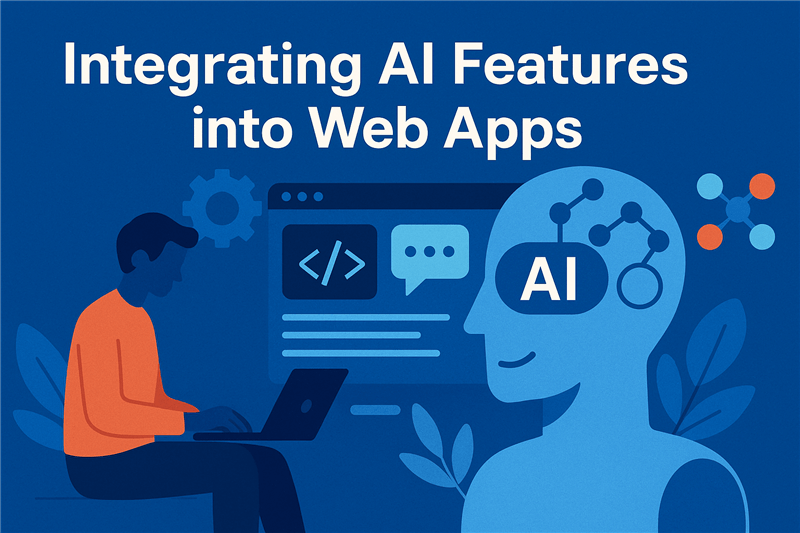
  • Integrating AI Features into Web Apps

    Artificial Intelligence (AI) is no longer just a futuristic concept. It has become a vital part of today’s web development landscape. By integrating AI into web applications, developers can create smarter, more engaging, and highly personalized user experiences. AI enables websites to not just display static content but to respond intelligently to user needs, adapt over time, and automate complex tasks.

    The growth of AI in web development is driven by advancements in computing power and the availability of vast data. Businesses across industries now realize that incorporating AI features helps them stand out by offering unique functionalities that traditional web apps cannot match. From chatbots answering customer queries instantly to personalized product recommendations, AI is transforming how users interact with websites.

    Definition & Significance

    Artificial Intelligence refers to systems designed to perform tasks that typically require human intelligence. These tasks include learning, reasoning, problem-solving, and understanding language. In web development, AI means embedding such smart capabilities directly into web applications.

    The significance of AI lies in its ability to analyze user behavior, automate repetitive tasks, and provide personalized experiences. For example, instead of a one-size-fits-all approach, an AI-powered web app can dynamically tailor content to each user based on their preferences and history. This leads to higher user satisfaction and better business outcomes.

    Market Trends

    The adoption of AI technologies in web apps has skyrocketed over the past few years. According to recent market research, more than 80% of enterprises have accelerated their AI initiatives in web and mobile development. Companies that implement AI features report increased user engagement, longer session times, and improved conversion rates.

    Furthermore, the availability of AI-as-a-Service platforms like OpenAI, Google Cloud AI, and Microsoft Azure AI has lowered the barrier for web developers. Even small businesses can now integrate sophisticated AI functionalities without building complex models from scratch. This democratization is fueling a surge in AI-powered web applications worldwide.

    Benefits

    Integrating AI into web applications offers multiple benefits. Firstly, it enhances user experience by delivering personalized content and smarter interfaces. Users feel understood when the app anticipates their needs or simplifies their interactions.

    Secondly, AI automates routine tasks such as customer support, content moderation, and data analysis. This automation saves businesses time and reduces operational costs. AI also improves decision-making by providing actionable insights through predictive analytics and trend forecasting.

    Overall, AI integration leads to more efficient, engaging, and profitable web applications, making it a strategic investment for businesses of all sizes.

    Core AI Technologies for Web Apps

    To build intelligent web applications, developers rely on several core AI technologies. Each technology focuses on a different aspect of mimicking human intelligence or processing data in a way that enhances user interaction. Understanding these foundational technologies is key to designing AI-powered features that deliver real value.

    Machine Learning (ML)

    Machine Learning is the backbone of most AI solutions today. It involves training computer systems to learn patterns from data without being explicitly programmed for every task. In web apps, ML models analyze vast amounts of user data to recognize trends and make predictions. For example, e-commerce sites use ML algorithms to recommend products based on previous browsing and purchase behavior.

    ML continuously improves as it processes more data, enabling web apps to become smarter over time. By automatically adjusting to user preferences, ML-driven features enhance personalization and boost engagement. Developers often use popular ML frameworks like TensorFlow, PyTorch, or scikit-learn to build and deploy these models.

    Natural Language Processing (NLP)

    Natural Language Processing allows web apps to understand, interpret, and generate human language. It bridges the communication gap between users and machines, making interactions more natural. NLP powers chatbots, virtual assistants, and voice-activated search on websites.

    For instance, an AI chatbot on a retail site can understand customer questions, provide relevant answers, and guide users to complete purchases. NLP techniques also analyze customer feedback, reviews, and social media posts to gauge sentiment, helping businesses respond appropriately.

    Computer Vision

    Computer Vision gives web applications the ability to process and analyze images and videos. This technology enables features like facial recognition, image tagging, and augmented reality experiences directly within the browser or app.

    Websites in industries like fashion, real estate, and healthcare use computer vision to provide innovative features such as virtual try-ons, property walkthroughs, or medical image analysis. It adds a visual intelligence layer that enhances user engagement by making interactions more immersive and interactive.

    Reinforcement Learning

    Reinforcement Learning is a type of machine learning where AI agents learn to make decisions by receiving feedback from their actions. Instead of relying on fixed datasets, these agents improve by trial and error, adapting dynamically to changing environments.

    In web applications, reinforcement learning can optimize user journeys by personalizing content layouts or recommending actions that maximize engagement. For example, a news website might use reinforcement learning to decide which articles to feature based on real-time reader responses, continually refining its strategy to keep users interested.

    Practical Applications in Web Development

    AI is not just a concept for futuristic apps; it’s actively reshaping everyday web development. Many real-world applications show how AI enhances functionality, user experience, and business outcomes. Below are some of the most common and impactful uses of AI in web applications today.

    AI-Powered Chatbots

    One of the most popular AI features on websites is chatbots. These automated assistants can answer customer questions instantly, around the clock. Unlike traditional FAQ pages, AI chatbots understand natural language and can handle complex queries. This improves customer service by reducing wait times and freeing human agents to focus on more challenging issues.

    Modern chatbots also learn from interactions to improve responses over time. They can guide users through product selections, troubleshoot problems, or even complete transactions. For businesses, chatbots reduce costs and improve user engagement, making them an essential AI tool.

    Personalized User Experiences

    Personalization powered by AI tailors website content, layout, and recommendations based on individual user behavior and preferences. By analyzing browsing history, purchase patterns, and demographic data, AI delivers relevant offers and content that resonate with each visitor.

    This level of customization increases the chances of conversion and encourages users to spend more time on the site. For example, streaming services use AI to recommend movies and shows based on past viewing habits, creating a highly personalized entertainment experience.

    Automated Content Generation

    AI is increasingly used to generate content automatically. This includes writing product descriptions, creating social media posts, or summarizing articles. Automated content creation saves time and resources for businesses, especially those managing large catalogs or frequent updates.

    Advanced AI language models produce coherent and engaging text that often matches human quality. However, human review is still necessary to maintain accuracy and tone. Combining AI with human creativity results in efficient and high-quality content production.

    Intelligent Search Functionality

    Traditional search bars often fail to understand user intent fully. AI-powered search enhances this by using semantic understanding and context awareness. This means the search engine interprets what the user really means, not just matching keywords.

    Features like voice search, autocorrect, and personalized suggestions improve search accuracy and speed. For example, e-commerce sites can help users find the exact product they want even if they use vague or misspelled queries, significantly improving the shopping experience.

    Predictive Analytics

    AI-driven predictive analytics examines historical data to forecast future trends and user behaviors. Web apps use these insights to optimize marketing strategies, inventory management, and user engagement.

    For example, an online retailer might predict which products will be in high demand next season or identify customers likely to churn. These predictions enable proactive decision-making, helping businesses stay ahead of the competition.

    Automated Testing & Debugging

    AI tools assist developers by automating the testing and debugging phases of web app development. These tools can quickly detect bugs, security vulnerabilities, and performance bottlenecks that might be missed by manual testing.

    Using AI for quality assurance accelerates release cycles and improves software reliability. Developers can focus more on building new features while ensuring existing code remains robust and secure.

    Integration Strategies

    Integrating AI into web applications involves more than just plugging in an API. It requires thoughtful strategy, careful planning, and the right tools to ensure your AI features are effective, scalable, and aligned with user needs. Below are key strategies developers can follow for smooth and successful AI integration.

    API Integration

    One of the simplest and most popular ways to integrate AI into web apps is by using third-party APIs. These ready-made services provide access to powerful AI capabilities like speech recognition, natural language understanding, computer vision, and recommendation systems.

    For example, OpenAI, Google Cloud AI, and IBM Watson offer APIs that developers can easily connect with via REST or GraphQL. API integration saves time, reduces development costs, and eliminates the need for complex model training, making it ideal for startups and small teams.

    Custom Model Deployment

    For businesses needing tailored AI functionality, deploying custom-trained models is a preferred strategy. Developers collect and preprocess domain-specific data, then train machine learning models using platforms like TensorFlow, PyTorch, or Hugging Face.

    Once trained, these models can be deployed on servers or in the cloud using services like AWS SageMaker, Google Vertex AI, or Azure ML. This approach gives more control over the AI logic but also requires more resources, expertise, and maintenance planning.

    Client-Side vs Server-Side AI

    • Client-Side AI: This involves running lightweight AI models directly in the user’s browser using JavaScript libraries like TensorFlow.js or ONNX.js. It’s fast, private, and doesn’t rely on constant internet connectivity, making it ideal for real-time features like image editing or input prediction.
    • Server-Side AI: Heavier AI workloads are typically processed on the server or in the cloud. Server-side AI allows for complex computations, access to big data, and easier model management. This is essential for features like product recommendations, chatbots, and fraud detection.

    Choosing between client-side and server-side depends on the complexity of the task, speed requirements, and data sensitivity.

    Hybrid Approach

    Many advanced web applications use a hybrid approach that combines client-side and server-side AI. For example, a web app might use client-side AI to process voice input locally, then send the result to a server-based model for deeper analysis and response generation.

    This strategy ensures faster response times and lower latency while maintaining the processing power needed for complex tasks. It also helps balance performance with data privacy by processing sensitive inputs on the user’s device before server communication.

    Microservices Architecture

    Using microservices is another effective strategy for integrating AI into web apps. Here, different AI features are broken into separate, independent services that communicate through APIs. Each service can be scaled, deployed, and updated individually.

    This modular approach increases flexibility and allows teams to iterate quickly. For example, an e-commerce platform can have individual services for product search, pricing recommendations, and fraud detection, each powered by its own AI model.

    Tools and Frameworks

    Integrating AI into web apps becomes much easier and more efficient when using the right tools and frameworks. These platforms help developers build, train, and deploy AI models without starting from scratch. They also offer libraries and APIs to speed up development and ensure accuracy.

    TensorFlow and TensorFlow.js

    TensorFlow is one of the most widely used open-source libraries for machine learning. Developed by Google, it supports deep learning and neural networks across multiple platforms. Developers can use TensorFlow to build complex AI models and deploy them in cloud or server environments.

    For web applications, TensorFlow.js allows models to run directly in the browser using JavaScript. This is useful for client-side AI features like real-time image recognition, voice input handling, and gesture detection, all without relying on a backend server.

    PyTorch

    PyTorch is a flexible deep learning framework developed by Meta (formerly Facebook). It is favored by researchers and developers for its ease of use, dynamic computation graphs, and strong Python support.

    While PyTorch is often used in server-side environments, it integrates well with deployment tools like TorchServe and ONNX for running AI models in production web applications. PyTorch is ideal for projects that need rapid experimentation and custom model development.

    OpenAI API

    OpenAI offers powerful APIs for natural language understanding, code generation, summarization, and more. These APIs are used in web apps to build intelligent features like chatbots, auto content generation, smart assistants, and documentation tools.

    Using OpenAI’s models such as GPT, developers can bring high-quality language comprehension into apps with minimal setup. This is especially useful for apps that rely on text-based interactions or content creation.

    Hugging Face Transformers

    Hugging Face provides pre-trained AI models and APIs for NLP tasks like translation, sentiment analysis, and question-answering. Their “Transformers” library supports models such as BERT, RoBERTa, and GPT-2.

    These tools make it easy to fine-tune models on custom datasets and integrate them into web apps through Python or JavaScript interfaces. Hugging Face also offers Inference API hosting, which simplifies deployment for non-AI experts.

    Microsoft Azure AI and Google Cloud AI

    • Azure AI: Offers services like Azure Cognitive Services for vision, language, and decision-making tasks. It allows easy integration with web apps using SDKs and REST APIs.
    • Google Cloud AI: Provides AutoML, Vertex AI, and other tools for training and deploying models, along with pre-trained APIs for speech, vision, and translation features.

    Both platforms are scalable, secure, and well-documented—making them ideal for enterprise-grade AI-powered web applications.

    Dialogflow and Rasa

    For AI chatbots and virtual assistants, Dialogflow (by Google) and Rasa (open-source) are top tools. Dialogflow offers easy integration with web and mobile apps and supports multiple languages.

    Rasa, on the other hand, is highly customizable and can be hosted on your own servers. It’s a great choice when privacy and flexibility are priorities. Both tools allow for creating conversational flows and integrating them with backend systems.

    Challenges of Integrating AI into Web Apps

    While AI offers many benefits, integrating it into web applications comes with its own set of challenges. Understanding these hurdles is essential for developers and businesses to plan and execute successful AI projects.

    Data Privacy and Security

    AI systems require vast amounts of data to function effectively, often involving sensitive user information. Protecting this data from breaches and misuse is a critical challenge. Web apps must comply with data privacy regulations such as GDPR and CCPA to avoid legal consequences and maintain user trust.

    Ensuring data security involves encryption, secure storage, and strict access controls. Developers must design AI features with privacy by default, minimizing data collection and anonymizing user information wherever possible.

    High Development Costs

    Building AI-powered features requires specialized skills and resources, making the development process more expensive compared to traditional web apps. Training machine learning models, integrating APIs, and ongoing maintenance add to the costs.

    Startups and small businesses may find these costs prohibitive. However, leveraging AI-as-a-Service platforms and pre-trained models can reduce expenses while still providing powerful AI capabilities.

    Complexity of Implementation

    AI integration is technically complex. It involves data collection, model training, system integration, and continuous monitoring. Developers must understand both AI concepts and web technologies to build efficient solutions.

    Additionally, AI models require regular updates to stay accurate and relevant. Without proper management, models can become outdated, leading to poor user experiences or incorrect predictions.

    Bias and Ethical Concerns

    AI systems can unintentionally perpetuate biases present in their training data. This can result in unfair or discriminatory outcomes, harming users and damaging brand reputation.

    Developers need to actively detect and mitigate biases by using diverse datasets and testing models thoroughly. Ethical AI practices ensure that web apps treat all users fairly and transparently.

    Performance and Scalability Issues

    AI features can demand significant computing power, affecting web app performance. Real-time AI functionalities, like chatbots or personalized recommendations, require fast data processing and response times.

    Scaling AI applications to handle large user bases without latency requires careful architecture design and possibly cloud-based AI services. Balancing performance with cost efficiency is a key challenge.

    Future Trends in AI-Driven Web Development

    AI is constantly evolving, and its role in web development is only getting bigger. In the coming years, we can expect web apps to become more intelligent, predictive, and user-friendly. Let’s explore the key trends that are shaping the future of AI-powered web development.

    More Advanced Personalization

    Future web apps will offer hyper-personalized experiences. AI will not only suggest products or content but also adjust layouts, colors, and user flows based on individual behavior. This deeper level of personalization will increase user engagement and satisfaction across websites and platforms.

    With real-time learning and adaptive interfaces, every visitor could receive a unique, tailored experience—something static designs can’t offer.

    Voice-Enabled Interfaces

    Voice technology is becoming mainstream in web applications. With the help of AI-driven natural language processing, websites will increasingly support voice commands, voice search, and even voice-based navigation.

    This will make web apps more accessible, especially for users with disabilities or those using mobile devices. Expect to see voice as a primary input method, especially in industries like eCommerce, education, and customer service.

    AI in Web Accessibility

    AI will continue to improve web accessibility by automatically analyzing and adjusting content for users with disabilities. Tools driven by computer vision and NLP can create alternative text for images, adjust font sizes, or even convert text to speech on the fly.

    This trend ensures inclusivity and helps businesses meet legal accessibility standards without extensive manual effort.

    Emotion Recognition and Sentiment Analysis

    AI is beginning to interpret human emotions through facial expressions, tone of voice, and written content. Future web apps might use this data to respond in a more empathetic and human-like way.

    For example, a customer support chatbot could detect frustration in a user’s tone and escalate the conversation to a human agent. This emotional intelligence will make digital interactions more natural and satisfying.

    Autonomous AI Agents

    Autonomous AI agents that can make decisions, learn from data, and act on their own are becoming more common. These agents can manage user onboarding, perform real-time optimization, or even monitor performance and suggest UX improvements automatically.

    They represent a leap toward more self-sufficient web apps that require less manual intervention and adapt continuously to user behavior.

    Generative AI in Web Design

    Generative AI tools are already transforming how designers and developers work. In the future, these tools will automate more complex parts of the design and coding process—creating wireframes, writing CSS, or suggesting UI components in real-time.

    This will reduce development cycles and make it easier for non-technical users to build and customize web applications using AI-powered no-code or low-code platforms.

    Case Studies & Real-World Examples

    Many businesses have already integrated AI into their web apps with great success. These real-world examples show how different industries use AI to improve customer experiences, streamline operations, and gain a competitive edge. Let’s explore a few notable case studies.

    Netflix: Personalized Content Recommendations

    Netflix uses AI to provide personalized movie and show recommendations based on user behavior, watch history, and preferences. Their algorithm analyzes billions of interactions daily to offer suggestions tailored to each user.

    This AI-driven personalization boosts user engagement, increases viewing time, and reduces churn. It’s a perfect example of how recommendation systems can transform the user experience on content-heavy platforms.

    Amazon: Intelligent Product Search

    Amazon’s search engine is powered by AI and machine learning algorithms that understand user intent and deliver relevant results. It factors in previous searches, browsing history, reviews, and even regional preferences.

    AI also powers features like “Customers who bought this also bought,” helping users discover products they didn’t even know they wanted—driving conversions and boosting sales significantly.

    Grammarly: Real-Time Language Assistance

    Grammarly is a web-based writing assistant that uses NLP and deep learning to provide real-time grammar checks, tone analysis, and writing suggestions. It adapts to different writing styles and understands context for smarter corrections.

    This tool shows how AI can enhance productivity-focused web applications by delivering intelligent, real-time support for users.

    Spotify: AI-Generated Playlists

    Spotify uses AI to analyze listening habits, genres, and user preferences to create curated playlists like “Discover Weekly.” Their models process large volumes of data to predict what music each user might enjoy.

    By offering deeply personalized content, Spotify keeps users engaged and encourages them to explore more music, increasing time spent on the platform.

    Zendesk: AI-Powered Customer Support

    Zendesk uses AI to automate customer service with chatbots and virtual agents. Their Answer Bot handles routine queries and resolves issues instantly, reducing the need for human support.

    The AI system also helps human agents by suggesting answers, flagging urgent tickets, and prioritizing workloads—improving overall efficiency and response time.

    Airbnb: Smart Pricing and Search Matching

    Airbnb applies machine learning models to determine optimal pricing for listings based on demand, season, and local events. It also uses AI to match guests with the most relevant properties based on their past behaviors and preferences.

    This dynamic and intelligent pricing strategy helps hosts maximize revenue while offering better options to guests.

    Conclusion

    Integrating AI features into web apps is no longer a futuristic concept—it’s the new standard. From enhancing user experiences to streamlining backend processes, AI empowers web applications to become smarter, faster, and more intuitive. As shown through various strategies, tools, and real-world examples, AI is reshaping how we build and interact with digital platforms.

    However, successful integration requires more than just technical know-how. It involves clear goals, ethical data practices, thoughtful design, and continuous improvement. With advancements like emotion detection, autonomous agents, and voice interfaces on the horizon, web apps will continue to evolve in exciting ways.

    To make the most of this shift, partnering with expert ai development companies can accelerate innovation and reduce implementation risks. These professionals bring experience, industry knowledge, and the latest tools to help you build intelligent, user-focused web solutions that scale with your business.

  • How Generative AI Models Are Trained: A Step-by-Step Breakdown

    Generative AI models have transformed the way we create content, from writing text and composing music to generating images and videos. But behind these impressive capabilities lies a complex training process that teaches the AI to understand data and generate new, meaningful outputs.

    In this article, we will take you through a step-by-step breakdown of how generative AI models are trained. Understanding this process can help you appreciate the technology’s potential and challenges, whether you are a developer, business leader, or AI enthusiast.

    Define Objectives and Select Model Type

    Every successful AI project starts with a clear objective. The first step in training a generative AI model is understanding what you want it to achieve. Is it meant to generate human-like text, create realistic images, compose music, or simulate conversations?

    The choice of objective directly influences the model architecture you choose. Each model type is tailored to specific tasks and comes with its strengths and limitations.

    • Transformers: These models are ideal for natural language processing tasks. They power most modern text-generation tools, including chatbots, translators, and summarizers. Transformers like GPT are trained to predict the next word in a sentence, making them excellent at generating coherent text.
    • GANs (Generative Adversarial Networks): GANs are widely used in image and video generation. They work through a game-like process where one network generates content and another evaluates it. This back-and-forth improves the quality of the output over time.
    • VAEs (Variational Autoencoders): These are best for applications that require data compression and reconstruction, such as creating new versions of faces or handwriting. VAEs are useful for generating data that is similar but not identical to the original input.
    • Diffusion Models: These models work by gradually removing noise from random data to generate highly detailed images. They have recently gained attention for producing results that rival professional artwork.

    Choosing the right model type helps ensure that the rest of the training process is efficient and aligned with your end goals.

    Data Collection and Preprocessing

    Generative AI models are only as good as the data they are trained on. High-quality, diverse, and well-structured data is essential for teaching the model how to understand and recreate patterns in language, images, or audio. This makes the data collection and preprocessing phase one of the most critical steps in the training process.

    The goal during this phase is to gather enough representative data and prepare it in a way that the model can learn from effectively. Any errors or noise in this step can carry forward and affect the final model’s accuracy and usefulness.

    • Data Gathering: Start by collecting data from reliable and legal sources. For text models, this might include books, articles, web pages, or code repositories. For image-based models, data might come from photo libraries, video frames, or user-generated content. The data must reflect the diversity and scope of the target outputs.
    • Cleaning: Raw data often contains irrelevant or redundant information. Cleaning involves removing duplicates, fixing encoding errors, filtering inappropriate content, and correcting formatting issues. In the case of images, this could include resizing and removing blurry or corrupted files.
    • Annotation (If Required): Some generative tasks benefit from labeled data. For example, a model that generates captions for images may need training data that links each image to a text description. Labeling helps the model learn relationships between inputs and outputs.
    • Tokenization (for Text): Text data must be broken down into smaller units called tokens—these could be words, subwords, or characters. Tokenization allows the model to process text in numerical form, which is required for any kind of learning to take place. Special tokens (like start and end symbols) may also be added to help with sentence boundaries.
    • Normalization: For consistent results, data is often normalized. In text, this might mean converting all words to lowercase. For images, this can involve scaling pixel values to a 0-1 range. Normalization ensures the model treats all input data fairly and doesn’t get biased due to inconsistent scales or formats.

    Proper data preparation lays the groundwork for effective training. The better your input data, the better your output results. Skipping or rushing this stage often leads to models that generate poor, biased, or irrelevant results.

    Model Architecture Design

    Once you’ve defined your goals and prepared your data, the next step is to design the architecture of your generative AI model. This means choosing how the model will be structured internally—how many layers it has, how neurons are connected, and how it will process the input data to generate meaningful outputs.

    Designing the right architecture is both an art and a science. It requires understanding the problem, the data, and the behavior you want the model to learn. A poor architectural choice can lead to slow training times, underfitting, or overfitting.

    • Layer Types: Most deep learning models consist of multiple layers—each responsible for extracting a different level of features. For example, early layers might detect edges in images or grammar patterns in text. Deeper layers combine these to understand more abstract concepts like faces or meaning in a sentence.
    • Model Depth and Width: The number of layers (depth) and the number of neurons per layer (width) play a big role in model performance. Deeper models can learn more complex patterns but require more data and compute power. Wider models handle more information at once but can become inefficient if not balanced properly.
    • Attention Mechanisms: In models like transformers, attention layers help the network decide which parts of the input are most important. This is crucial in tasks like text generation, where the meaning of a word often depends on the context provided by other words.
    • Latent Space (for VAEs and GANs): In some models, especially those used for generating images or music, data is compressed into a “latent space” that captures the essence of the input. This compressed form allows the model to sample new data by tweaking elements in the latent space, producing novel and realistic outputs.
    • Loss Functions: Every model needs a way to measure how wrong its outputs are. This is done through a loss function. For example, in image generation, the loss might compare the pixel-by-pixel difference between the generated and real image. Choosing the right loss function is critical for teaching the model what “good” output looks like.

    Think of model architecture as the blueprint for a building. If the structure is well-designed, it can handle complex tasks efficiently. But if it’s poorly constructed, no amount of training data can make it perform well. This step shapes how well your model can learn and generalize from data.

    Training the Model

    Training is the heart of building a generative AI model. It’s the process where the model learns to understand patterns in data and produce realistic outputs. During training, the model adjusts its internal parameters—called weights and biases—so that its predictions become more accurate over time.

    This phase is compute-intensive and can take hours, days, or even weeks depending on the size of the model and the dataset. It involves feeding data to the model, measuring its performance, and continuously updating it using optimization techniques.

    • Forward Propagation: During training, the model takes input data and passes it through all its layers to produce an output. This process is known as forward propagation. For example, a text generator might predict the next word in a sentence based on previous words.
    • Loss Calculation: Once the output is generated, it’s compared to the actual result using a loss function. The loss function measures how far off the model’s prediction is from the correct answer. A high loss means the model is making big mistakes and needs to adjust more.
    • Backpropagation: To correct its mistakes, the model uses backpropagation. This technique calculates how each parameter contributed to the error and updates them accordingly. The goal is to minimize the loss in future predictions by gradually fine-tuning the model’s internal weights.
    • Gradient Descent: Gradient descent is the optimization algorithm used to adjust weights during backpropagation. It updates each weight a little at a time, in the direction that reduces the loss the most. Over many iterations, this helps the model learn the right patterns from the data.
    • Batch Training: Instead of training on the whole dataset at once, data is often divided into smaller batches. This makes training more efficient and helps the model generalize better. Each batch passes through the model, and its results are used to update the weights.
    • Epochs: An epoch refers to one complete pass through the entire training dataset. Models are usually trained for multiple epochs until the loss stabilizes or improves only slightly—indicating the model has learned as much as it can from the data.

    Training is where the real learning happens. It’s a repetitive but rewarding process that enables the model to transform raw data into creative and coherent outputs. The better your training setup—hardware, hyperparameters, and data handling—the better your model will perform in the real world.

    Fine-Tuning and Hyperparameter Optimization

    After the initial training, the model may not yet deliver the best results. It might overfit, underfit, or produce generic and repetitive outputs. That’s where fine-tuning and hyperparameter optimization come in. These steps help enhance performance and make the model better suited for specific tasks or domains.

    Fine-tuning refines the model on a narrower dataset or adjusts how it interprets data. Hyperparameter tuning improves how the model learns by adjusting the training process itself.

    • Fine-Tuning: This involves training a pre-trained model on a smaller, more specific dataset. For instance, a general text model like GPT can be fine-tuned to generate legal documents by exposing it to legal texts. This step allows the model to adapt its knowledge to domain-specific vocabulary, tone, and style.
    • Transfer Learning: Fine-tuning is made possible by transfer learning, which lets you build on an existing model rather than starting from scratch. The base model already understands language or visuals broadly, so fine-tuning focuses only on the specific nuances needed for the new task.
    • Hyperparameter Tuning: Hyperparameters are the settings that control how the model learns. They include:
      • Learning Rate: Determines how fast the model updates weights. Too high, and it overshoots; too low, and training becomes slow.
      • Batch Size: The number of samples processed at once. Larger sizes improve speed but may reduce generalization.
      • Number of Epochs: The number of full passes over the training data. Too many can cause overfitting.
      • Dropout Rate: Prevents overfitting by randomly turning off neurons during training. Helps the model generalize better.
    • Grid Search & Random Search: These are popular methods for testing different hyperparameter combinations. Grid search tries every possible combo systematically, while random search selects combinations randomly for quicker results.
    • Automated Tuning Tools: Today, tools like Optuna, Ray Tune, or Google Vizier help automate hyperparameter tuning using intelligent algorithms to find the best configurations faster and more efficiently.

    Think of this stage like adjusting the knobs on a high-performance engine. With the right tuning, you can significantly boost the model’s accuracy, creativity, and reliability, making it better aligned with your specific goals.

    Evaluation and Validation

    After training and fine-tuning, evaluating the model is crucial to understand its real-world performance. Evaluation measures how well the generative AI produces accurate, coherent, and relevant outputs. Validation helps ensure the model generalizes well to new, unseen data and doesn’t just memorize the training set.

    Careful evaluation prevents deploying a model that might produce biased, low-quality, or irrelevant results. It’s an ongoing process that often cycles back into further training and tuning.

    • Dataset Splitting: The original data is divided into training, validation, and test sets. The training set teaches the model. The validation set helps tune hyperparameters and avoid overfitting. The test set evaluates final model performance on unseen data.
    • Quantitative Metrics: Metrics such as perplexity, BLEU score (for text), or Inception Score (for images) help measure how well the model performs objectively. Lower perplexity means better prediction. Higher BLEU or Inception scores indicate more accurate and realistic outputs.
    • Qualitative Evaluation: Human reviewers often assess the outputs to check creativity, coherence, and relevance. This is important because numbers can’t capture subjective qualities like style or appropriateness.
    • Diversity and Bias Testing: It’s vital to ensure the model generates varied outputs and doesn’t replicate harmful stereotypes or biases present in the training data. Techniques include analyzing output samples across different prompts and monitoring for repetitive or skewed responses.
    • Overfitting and Underfitting Checks: Overfitting means the model memorizes training data and fails on new inputs. Underfitting means the model is too simple to capture patterns. Validation results help detect these issues so adjustments can be made.

    Evaluation and validation form the quality control stage of the AI development lifecycle. They ensure that the model’s outputs meet the intended goals and can be trusted when used in real applications.

    Deployment and Monitoring

    After a model has been trained, fine-tuned, and thoroughly evaluated, it’s ready for deployment. Deployment means integrating the generative AI model into an application or service where users can interact with it. However, the work doesn’t stop once the model goes live.

    Ongoing monitoring is essential to ensure the model continues to perform well and safely in a real-world environment. It helps catch issues early and allows for continuous improvement.

    • Deployment Options: Models can be deployed on cloud platforms, on-premises servers, or edge devices depending on the use case. Cloud deployment is popular for its scalability and ease of updates, while edge deployment is useful for latency-sensitive or privacy-critical applications.
    • API Integration: Many generative AI models are accessed through APIs, allowing developers to easily integrate them into websites, apps, or other software. This makes it simple to provide AI-powered features without exposing the model internals.
    • Performance Monitoring: Once deployed, it’s important to track metrics such as response time, error rates, and resource usage. Monitoring these ensures the system remains reliable and scalable.
    • Output Quality Checks: Regularly review the generated outputs for relevance, quality, and safety. Automated filters can help catch harmful or inappropriate content, while human moderators may be needed for sensitive applications.
    • Model Updates and Retraining: As new data becomes available or as user needs evolve, the model may require updates or retraining. Continuous learning helps maintain accuracy and adapt to changing contexts.
    • User Feedback Integration: Collecting feedback from end-users helps identify gaps or errors the model might make. This feedback loop is vital for improving user experience and trust.

    Deployment and monitoring ensure that your generative AI model remains effective and responsible over time, delivering consistent value to users while minimizing risks.

    Conclusion

    Training generative AI models involves a detailed, multi-step process—from data collection and preprocessing to architecture design, training, fine-tuning, evaluation, and deployment. Each stage plays a critical role in ensuring the model produces high-quality, reliable, and creative outputs.

    With rapid advancements in AI technology, businesses and developers must partner with experienced experts to build effective generative AI solutions. If you are looking to develop or enhance your AI projects, consider collaborating with leading Generative AI Development Companies that specialize in crafting tailored, scalable, and robust Gen AI models.

  • How to Build a Generative AI Model from Scratch

    Generative AI is a transformative field within artificial intelligence that focuses on creating new content from existing data. Unlike traditional AI models that are designed to analyze and predict outcomes based on historical data, generative AI builds something entirely new—whether it’s realistic images, coherent text, or even human-like speech. With the rise of advanced machine learning techniques, such as deep learning, generative AI has become one of the most exciting and revolutionary technologies in the tech industry.

    At the heart of generative AI is the ability of machines to learn patterns, understand structures, and replicate the essence of what makes content look natural or authentic. This is the power behind systems that generate creative content, from deepfake videos and virtual assistants to automatically generated artwork and text. However, creating a generative AI model from scratch is a challenging process that requires a structured approach, solid technical skills, and an understanding of how the AI system will interact with data.

    In this guide, we will walk you through the steps needed to build a generative AI model from scratch. Whether you’re a developer, researcher, or a startup founder looking to integrate AI into your product, understanding how to design and deploy a generative AI model can provide immense value. We’ll discuss everything from defining your project’s goals, selecting the right model architecture, gathering data, to training and deploying the model.

    The key to successfully building a generative AI model is choosing the right approach based on the type of data and output you’re aiming for. For instance, generating text requires different models and methods than generating realistic images or synthesizing music. Common approaches include Generative Adversarial Networks (GANs), Variational Autoencoders (VAEs), and transformer models, which are widely used in natural language processing (NLP). Each approach offers unique benefits, and understanding them is crucial to making the right decisions during model creation.

    Building a generative AI model from scratch isn’t just about the technical aspects—it’s also about understanding the ethical implications, ensuring data privacy, and optimizing the model for performance. This guide aims to give you a clear understanding of each phase involved in the process and help you avoid common pitfalls along the way. By the end of this article, you’ll have the knowledge you need to embark on your own generative AI projects with confidence.

    As we dive deeper into this guide, we’ll cover the core aspects of building a generative AI model, from selecting the appropriate framework and gathering clean data, to choosing the ideal model architecture and effectively evaluating and fine-tuning your results. Keep reading to learn how you can build a powerful generative AI model from scratch and harness its capabilities to create innovative, data-driven solutions.

    If you’re ready to take your AI development skills to the next level, exploring partnerships with generative AI development companies in the USA can help you streamline your project and ensure its success. These companies specialize in bringing generative AI models to life, providing expert guidance and support for businesses looking to implement cutting-edge AI technologies.

    Step 1: Define the Problem and Use Case

    Choose Your Domain

    The first step in building a generative AI model is choosing the domain you want to work in. The domain will dictate the type of model architecture, data, and tools you’ll need. There are a few common domains where generative AI is heavily applied:

    • Text Generation – This involves creating models capable of generating human-like text, such as GPT-3, which is designed for content creation, chatbots, and even code generation. Text generation models require natural language processing techniques and large language datasets.
    • Image Generation – Models like GANs (Generative Adversarial Networks) and VAEs (Variational Autoencoders) are used to generate realistic or creative images. Applications range from fashion and product design to art and entertainment.
    • Audio and Music Generation – Audio and music generation can be a highly complex domain, utilizing deep neural networks to create original pieces of music or generate voice from text (Text-to-Speech models).
    • Video Generation – This is one of the more advanced domains in generative AI, requiring not just image generation but temporal and spatial data understanding to create videos that mimic real-world actions.

    Understanding your domain helps you decide on the appropriate model type, such as using a text-based transformer for language or GANs for image generation. It also helps you focus your data collection and processing efforts.

    Understand User Needs and Expected Output

    Once you’ve chosen your domain, the next step is to define what kind of output is expected from the model. The user’s needs will directly influence the model’s design and evaluation criteria. If you’re building a generative AI for text generation, the goal might be to produce contextually rich, coherent paragraphs of text. For an image model, the goal could be to produce highly realistic images or artistic representations of a given theme.

    Some critical considerations include:

    • Output Quality – Is the generated content required to be of a high quality that mirrors human creativity, or is it acceptable to have imperfect outputs for experimentation?
    • Speed – Does the application require quick generation of results, or can the system be slow, like some high-quality deep learning models that take longer to train?
    • Realism – Depending on your goal, the level of realism required in the output might vary. Some generative models need to produce very realistic content, while others might focus on generating more abstract or creative outputs.

    Having a clear vision of the desired output will guide your choices throughout the entire process, from choosing datasets to evaluating the final model’s success.

    Step 2: Gather and Prepare Data

    Collect Quality Datasets

    Building a high-quality generative AI model depends heavily on the quality and quantity of data available for training. For generative models, this often means large-scale datasets that are diverse and well-labeled. The following types of data sources can help in building generative models:

    • Public Datasets – Platforms like Kaggle and TensorFlow Datasets offer large datasets that can be used for free or with proper attribution. These datasets are often pre-processed and categorized for easy use.
    • Web Scraping – Scraping data from websites is another way to gather text, images, and other content. However, scraping must be done responsibly by respecting site terms of service to avoid legal issues.
    • Custom Datasets – In some cases, especially with unique business problems, creating a custom dataset might be necessary. This involves collecting data specific to your needs and labeling it manually or semi-automatically using existing models.

    The more diverse the dataset, the better the model will generalize, meaning it can handle a wide variety of inputs and still generate quality outputs. For example, when generating realistic images, the model should see a broad range of different environments, objects, and people to learn from.

    Clean, Label, and Preprocess Data

    Once you’ve collected the data, the next step is to clean and preprocess it. Data cleaning is essential to ensure that the model learns from relevant and high-quality data. Some of the common preprocessing tasks for generative AI models include:

    • Data Normalization – For image data, this might involve scaling pixel values so that they fall between 0 and 1. For text data, tokenizing the text and encoding it into numerical representations like word embeddings is a typical preprocessing step.
    • Labeling – If your project requires supervised learning (such as generating specific types of text or images), labeling your dataset is crucial. For example, labeling parts of images or categorizing text into different genres.
    • Removing Noise – Ensuring that the data doesn’t contain irrelevant elements like malformed text, broken image links, or duplicate entries that could negatively affect the model’s learning process.

    Proper preprocessing is vital to avoid bias and improve the efficiency of the learning process, ensuring that the model can focus on learning the important patterns in the data.

    Step 3: Choose the Right Model Architecture

    Options: GANs, VAEs, and Transformers

    Once the data is ready, the next step is selecting the model architecture. The choice of architecture depends on the problem you’re trying to solve. Some of the most common models used in generative AI include:

    • Generative Adversarial Networks (GANs) – GANs are one of the most popular and effective architectures for generating images. A GAN consists of two neural networks: a generator that creates data and a discriminator that evaluates it. These networks compete against each other, which drives the generator to produce more realistic outputs over time.
    • Variational Autoencoders (VAEs) – VAEs are used to learn probabilistic distributions of data. VAEs can generate new data points similar to the data they were trained on, making them ideal for image, text, and music generation.
    • Transformers – Transformers, such as GPT-3 and BERT, are designed for text generation. They use attention mechanisms to process sequences of data (like words in a sentence) and generate human-like text by predicting the next word or sequence of words based on context.

    Each of these architectures has its own strengths. For instance, GANs are best for creating realistic images, while transformers excel in natural language tasks, and VAEs are commonly used for tasks requiring data reconstruction.

    When to Use Which Model

    Choosing the right architecture is crucial for the success of the generative AI model. Here’s when to consider each:

    • Use GANs if you need to generate high-quality images or videos, as they excel at producing highly detailed and realistic content.
    • Use VAEs if your goal is to generate new content that is similar to the original data but without necessarily replicating it. VAEs are great for projects involving image generation, such as creating new faces or artistic renderings.
    • Use Transformers for NLP tasks where you need to generate fluent and contextually coherent text, such as writing essays, stories, or answering questions.

    Step 4: Build and Train the Model

    Choose a Framework

    The choice of machine learning framework for building your generative AI model is an essential consideration. Two of the most commonly used frameworks are:

    • TensorFlow – Developed by Google, TensorFlow is one of the most widely used machine learning frameworks, known for its flexibility and scalability. It supports building both deep neural networks and generative models like GANs and VAEs.
    • PyTorch – Developed by Facebook, PyTorch is popular for its ease of use and dynamic computation graph, which makes it easier to debug and experiment with model architectures. It’s widely preferred for research purposes and quickly prototyping generative AI models.

    Both frameworks offer excellent support for building and training complex AI models, and the choice often comes down to personal preference or the specific needs of your project.

    Set Hyperparameters and Training Loop

    Training a generative AI model requires selecting several hyperparameters that can significantly influence the model’s performance. These include:

    • Learning Rate – This defines howmuch the model adjusts its weights during each training iteration.
    • Batch Size – This determines how many samples are processed before the model’s internal parameters are updated.
    • Epochs – The number of times the entire dataset is passed through the model.

    Adjusting these parameters can make the difference between a model that converges quickly and one that takes a long time to train. It’s also crucial to experiment with the architecture’s depth, activation functions, and optimizers to improve performance.

    Conclusion

    Building a generative AI model from scratch is a complex but rewarding process. By following the steps outlined above—from problem definition to deployment—you can create your own AI model that generates high-quality content. For those interested in working with professionals to bring generative AI solutions to life, check out generative ai development companies in USA to get started.

  • The Difference Between Generative AI and Traditional AI

    Artificial Intelligence (AI) has become an integral part of numerous industries, transforming the way businesses operate and innovate. From healthcare to finance and entertainment, AI is revolutionizing processes, driving efficiency, and enabling smarter decision-making. However, when it comes to AI technology, it’s essential to understand the different types of AI available today. One of the most significant distinctions in AI is between Traditional AI and Generative AI. These two types of AI serve distinct purposes and are powered by different approaches, making it crucial for businesses and developers to understand their unique characteristics.

    In this blog, we will explore the fundamental differences between Generative AI and Traditional AI. By understanding these differences, organizations can choose the right AI tools to address their specific challenges and meet their operational goals. Whether you’re developing new products, enhancing customer experiences, or automating internal processes, recognizing the nuances of these AI types is key to unlocking their full potential.

    Traditional AI has been the backbone of many automation systems for decades. It works by following pre-programmed rules and predefined algorithms to perform tasks such as classification, prediction, or anomaly detection. In contrast, Generative AI represents a more advanced approach, capable of generating new, original content based on patterns learned from large datasets. This AI type is at the forefront of creativity, enabling new possibilities in content creation, design, and innovation.

    The purpose of this blog is to provide an in-depth comparison between Generative AI and Traditional AI, highlighting their respective strengths, limitations, applications, and the industries where each can offer the greatest impact. Additionally, we will examine the strategic importance of understanding these differences to make well-informed decisions when adopting AI technologies for your business.

    As the AI landscape continues to evolve rapidly, staying up to date on the latest trends and advancements in these technologies is more important than ever. By the end of this blog, you’ll have a better understanding of which AI approach is best suited for your needs. Whether you are exploring Generative AI for creative solutions or relying on Traditional AI for automated, predictable outcomes, this guide will equip you with the knowledge to leverage AI effectively and drive innovation in your business.

    Let’s dive deeper into the world of Generative AI and Traditional AI, starting with an exploration of the core characteristics and differences that set them apart.

    Traditional AI

    Characteristics of Traditional AI

    Traditional AI is built upon well-established models and algorithms that are designed to solve specific problems within defined rules. These systems are based on pre-programmed logic and mathematical functions, which are used to automate tasks. Traditional AI requires structured data and works within a fixed framework. It’s often employed in scenarios where the goal is to analyze historical data, make predictions, or identify patterns based on a set of input variables.

    These systems are typically built on techniques like machine learning, where the AI is trained using a large dataset to identify patterns. Once the AI learns these patterns, it applies them to new, unseen data to make predictions or decisions. However, unlike Generative AI, Traditional AI does not create new content or innovative solutions but works within the constraints of the data it has been trained on.

    Applications of Traditional AI

    • Fraud Detection: Traditional AI is widely used in banking and finance for fraud detection. By analyzing transaction data and identifying patterns of behavior, AI systems can flag unusual activities that may indicate fraudulent transactions.
    • Recommendation Systems: Many e-commerce platforms and streaming services use Traditional AI to provide personalized recommendations. These systems analyze user behavior to suggest products, movies, or services that align with the user’s preferences.
    • Customer Service Automation: AI-powered chatbots, which follow predefined rules and templates, are used by businesses to provide instant customer service responses. These bots are ideal for handling routine inquiries like order status, product information, and common troubleshooting questions.
    • Predictive Maintenance: Traditional AI systems are used in manufacturing to predict when equipment is likely to fail. By analyzing historical maintenance data, AI can forecast when machinery will need servicing, helping businesses avoid unexpected breakdowns.

    Advantages of Traditional AI

    The key advantage of Traditional AI is its ability to perform well-defined tasks with high accuracy and speed. Because it follows fixed rules and algorithms, businesses can rely on it to provide consistent, repeatable outcomes. It is especially beneficial in industries that require high-volume, routine operations, such as finance, retail, and logistics. Furthermore, Traditional AI can be easily monitored and controlled, making it a reliable option for organizations that prioritize stability and predictability.

    Another advantage is its interpretability. Traditional AI systems are transparent in their operations, meaning that it is often easier to understand how a decision was made. This is crucial in regulated industries like healthcare and finance, where accountability is a major concern. Additionally, these systems can be updated regularly to improve accuracy, providing ongoing improvements without overhauling the entire structure.

    Limitations of Traditional AI

    While Traditional AI excels in automation, its major limitation lies in its inability to handle complex, unstructured data. It is highly dependent on well-labeled data and predefined rules, making it less suitable for tasks where creativity or ambiguity is involved. For example, while Traditional AI can excel at classifying medical images, it would struggle to generate new treatment protocols or innovate in healthcare.

    Moreover, Traditional AI is not capable of generalizing across tasks without human intervention. Once it has been trained for a specific task, it requires significant retraining or reprogramming to handle different types of problems. This makes it less flexible compared to Generative AI, which can adapt and create novel outputs based on its learning.

    Generative AI

    Characteristics of Generative AI

    Generative AI represents a leap forward in the capabilities of artificial intelligence. Instead of just analyzing data and making predictions, Generative AI can create entirely new content. It uses advanced machine learning models, such as Generative Adversarial Networks (GANs) and Transformers, to generate text, images, music, and even videos based on patterns learned from large datasets. These models work by learning from data and then producing outputs that reflect that learning, but with a creative twist.

    The power of Generative AI lies in its ability to learn abstract concepts and produce innovative solutions or content that was not explicitly programmed. For example, it can create entirely new artworks, write creative content, or generate realistic human-like images. Unlike Traditional AI, which focuses on solving specific, predefined problems, Generative AI is capable of producing outputs that expand the boundaries of what is possible, making it suitable for industries that require innovation and creativity.

    Applications of Generative AI

    • Creative Content Generation: One of the most exciting applications of Generative AI is content creation. From generating written articles to creating digital artwork and music, this AI can produce high-quality content in various formats, enabling businesses to streamline creative processes and innovate faster.
    • Personalized Marketing and Advertising: Generative AI is used to design personalized marketing campaigns. By analyzing consumer behavior, AI generates highly targeted ads and messages that resonate with individual users, improving engagement and conversion rates.
    • Product Design and Prototyping: Generative AI has found applications in industries like automotive, fashion, and tech for product design. AI can generate new product designs, create prototypes, and even simulate real-world functionality, allowing companies to test ideas before physical production begins.
    • Deepfake and Synthetic Media: Generative AI is used to create deepfake videos and synthetic media. While this has raised ethical concerns, it also holds potential in film production, video games, and virtual environments, enabling the creation of realistic digital assets.

    Advantages of Generative AI

    The primary advantage of Generative AI is its creativity. Unlike Traditional AI, which is restricted by predefined rules and patterns, Generative AI can innovate by producing new and original content. This makes it a valuable tool in creative fields such as art, entertainment, and product design, where novelty and innovation are key.

    Generative AI is also incredibly flexible. Its ability to learn and adapt to new tasks without extensive retraining makes it ideal for industries that require rapid innovation. It can generate diverse outputs from a single input, allowing for the creation of customized content or solutions based on specific user preferences or business needs.

    Limitations of Generative AI

    Generative AI is computationally intensive. Training these models requires substantial resources, including powerful hardware and large datasets. This makes it less accessible for smaller businesses or those without the necessary infrastructure.

    Moreover, Generative AI models are often “black boxes,” meaning their outputs can be difficult to interpret or explain. This lack of transparency can be problematic in industries that require accountability, such as healthcare or law. Additionally, since the AI generates new content based on patterns in data, it may sometimes produce biased or inaccurate results, especially if the training data is flawed.

    Key Differences Between Generative AI and Traditional AI

    Approach

    While Traditional AI works by following predefined rules and algorithms, Generative AI takes a more advanced approach by learning from large datasets to produce new, original content. Traditional AI is highly structured and task-specific, whereas Generative AI is more flexible and capable of handling a wide variety of applications that require creativity and adaptation.

    Output

    The output from Traditional AI is generally predictable, such as classifying objects or recommending products. In contrast, Generative AI creates unique outputs, such as text, images, or designs, that weren’t specifically encoded into the algorithm. This ability to generate novel content makes Generative AI more suited for industries that require constant innovation and creative problem-solving.

    Flexibility

    Traditional AI is highly effective for solving well-defined problems but is limited when it comes to tasks that require flexibility and creativity. Generative AI, on the other hand, is adaptable and can be used across different domains to produce innovative results. It thrives in environments where customization and content creation are key.

    Data Requirements

    Generative AI requires large, diverse datasets for training to generate high-quality results. This makes it more resource-intensive than Traditional AI, which can perform well with smaller, more structured datasets. The sheer volume of data needed for Generative AI can make it costly and time-consuming to implement effectively.

    Importance of Understanding the Differences

    Strategic Application

    Choosing between Generative AI and Traditional AI depends on the problem at hand. Businesses must understand the specific needs of their operations to decide which AI technology is the most effective for achieving their objectives. For example, if your goal is to automate routine tasks or analyze historical data, Traditional AI may be more suitable. If your goal is to innovate or create unique content, then Generative AI is the ideal choice.

    Resource Allocation

    Understanding the differences helps businesses allocate resources effectively. Traditional AI is generally less resource-intensive and can be deployed on a smaller scale. Generative AI, due to its complexity, often requires more significant investments in both computational power and data resources. Businesses need to be prepared for these requirements when considering which type of AI to implement.

    Ethical Considerations

    Both types of AI come with ethical challenges. Traditional AI may perpetuate biases present in historical data, while Generative AI raises concerns about the originality of the content it generates. Both require careful oversight to ensure that the systems are used responsibly and ethically in their respective industries.

    Conclusion

    As AI continues to evolve, understanding the difference between traditional AI and generative AI becomes essential. Both have their strengths, and choosing the right one depends on your business needs. Generative AI opens new possibilities for creativity and innovation, while traditional AI remains reliable for structured tasks.

    For businesses looking to explore the potential of generative AI, partnering with experienced generative ai development companies can provide valuable expertise and guidance in developing custom AI solutions.

  • Healthcare Mobile Apps: Key Features & Compliance Requirements

    Healthcare mobile apps have transformed the way healthcare services are delivered. With the rapid advancement of mobile technology and the increased usage of smartphones, healthcare applications have become an essential tool for both healthcare providers and patients. These apps offer a wide range of features that help improve healthcare delivery, from appointment scheduling and telemedicine services to managing health data and medication adherence. The convenience of having access to healthcare services on the go has made these apps indispensable in today’s fast-paced world.

    As healthcare professionals continue to embrace digital solutions, it’s crucial for app developers to focus not only on functionality but also on security and regulatory compliance. Patients entrust healthcare apps with sensitive personal health data, so ensuring that these apps comply with stringent regulations is non-negotiable. From safeguarding patient information to adhering to government regulations, healthcare apps need to meet a variety of requirements to protect user data and maintain trust.

    For healthcare apps to be truly effective, they must offer a user-friendly experience, powerful features, and robust security. Developers must carefully design apps that are intuitive for users, especially since many may not be tech-savvy. Additionally, integrating features that enhance patient engagement and improving communication between patients and healthcare providers are essential for the app’s success.

    However, the responsibility doesn’t stop at providing useful features. Compliance with key regulations such as HIPAA, GDPR, and FDA requirements is critical. Without proper compliance, an app can face legal consequences, loss of user trust, and even potential business closure. This blog explores the key features that make healthcare mobile apps effective and the compliance requirements developers must adhere to in order to ensure privacy, security, and legal safety for both healthcare providers and their patients.

    Key Features of Healthcare Mobile Apps

    User-friendly Interface

    A user-friendly interface is crucial for the success of any healthcare mobile app. The simpler and more intuitive the design, the easier it will be for patients and healthcare professionals to navigate. An easy-to-use interface can enhance patient engagement and increase adoption rates.

    • Simple navigation: Essential for users with varying technical expertise.
    • Clear instructions: Guides users through tasks such as scheduling or accessing health records.
    • Customizable features: Allow users to adjust settings based on personal preferences.

    Data Security and Privacy

    In healthcare, patient data is highly sensitive. Ensuring privacy and security is not only essential for trust but also legally required. HIPAA compliance, encryption, and secure login methods help protect user information from unauthorized access.

    • HIPAA compliance: Essential for any healthcare app in the U.S. to ensure patient data privacy.
    • Encryption: Data must be encrypted both at rest and in transit to prevent breaches.
    • Secure logins: Multi-factor authentication is a must for accessing sensitive data.

    Appointment Scheduling and Reminders

    Appointment scheduling is one of the most useful features in healthcare apps. It streamlines patient management and reduces administrative workload for healthcare providers. Integration with calendars and reminders ensures that patients never miss important appointments.

    • Ease of booking: Allows users to quickly schedule, reschedule, or cancel appointments.
    • Automatic reminders: Helps reduce no-shows and keeps patients informed about upcoming visits.
    • Synchronization with calendars: Syncs appointments with personal calendars for better organization.

    Telemedicine Capabilities

    Telemedicine has grown rapidly, especially in the wake of the COVID-19 pandemic. Virtual consultations allow healthcare providers to see patients remotely, offering convenience and broadening access to care. Integrating video and chat functions can make telemedicine seamless and secure.

    • Real-time video consultations: Enables healthcare providers to assess patients remotely.
    • Secure communication: Ensures private conversations and data transfer during consultations.
    • Accessibility: Allows patients in rural or underserved areas to access quality care.

    E-Prescriptions and Medication Management

    Healthcare apps with e-prescription features allow doctors to send prescriptions directly to pharmacies. This improves efficiency and reduces medication errors. Medication management tools also help patients track their prescriptions and ensure proper adherence.

    • Direct prescription sending: Reduces errors and increases convenience for patients.
    • Medication reminders: Alerts users when it’s time to take their medications.
    • Medication tracking: Helps patients keep track of their prescriptions and refills.

    Integration with Wearable Devices

    Wearable devices such as fitness trackers and smartwatches collect real-time health data. Integrating these devices with healthcare apps provides a comprehensive view of a patient’s health, offering personalized insights and improving care management.

    • Real-time monitoring: Continuously tracks vital signs like heart rate, steps, and sleep patterns.
    • Data accuracy: Ensures the app receives reliable data for better diagnosis and treatment plans.
    • Personalized health insights: Uses collected data to provide custom health tips and advice.

    Compliance Requirements for Healthcare Mobile Apps

    HIPAA Compliance

    HIPAA (Health Insurance Portability and Accountability Act) sets the standard for protecting patient data in the U.S. A healthcare mobile app must comply with HIPAA regulations to ensure patient privacy and secure data handling.

    • Data protection: Healthcare apps must have robust security features to protect patient information.
    • Audits and reporting: Regular audits should be performed to ensure compliance with HIPAA standards.
    • Training for staff: Healthcare providers must train staff on HIPAA requirements to ensure proper handling of patient data.

    GDPR (General Data Protection Regulation)

    For healthcare apps in the European Union, compliance with GDPR is mandatory. This regulation sets guidelines for collecting and processing personal data, including patient information. Developers must be transparent about data collection and obtain explicit consent from users.

    • Data consent: Patients must explicitly agree to the collection of their personal health data.
    • Right to be forgotten: Patients have the right to request the deletion of their personal data from the system.
    • Data transparency: Healthcare apps must provide clear information about how data is used and stored.

    FDA Regulations

    If a healthcare app qualifies as a medical device, it must comply with FDA regulations. Apps that perform clinical functions, such as diagnosing or monitoring health conditions, may need FDA approval to ensure safety and efficacy.

    • Medical device classification: Apps must be categorized as medical devices if they have a clinical function.
    • FDA approval: Certain apps may require premarket approval to verify their safety and effectiveness.
    • Ongoing compliance: Apps need to comply with FDA standards throughout their lifecycle.

    Local and International Regulations

    Healthcare apps must adhere to local laws, which can vary by country. Some countries may have stricter data protection laws or specific regulations for telemedicine and medical apps. Understanding and complying with local regulations is crucial for global app deployment.

    • Regional variations: Different countries may have unique requirements for healthcare apps.
    • Global compliance: Apps that operate in multiple countries must ensure compliance with various healthcare regulations.
    • International certifications: Developers may need certifications for specific markets.

    Security Standards and Data Encryption

    Ensuring the security of healthcare data is critical to prevent unauthorized access. Implementing robust security standards, including data encryption, secure communication, and compliance with global security protocols, helps protect sensitive health information.

    • Data encryption: Ensures patient data is secure both in transit and at rest.
    • Compliance with global standards: Apps must meet international security standards such as ISO/IEC 27001.
    • Secure communication: Communication channels must be encrypted to protect sensitive conversations between patients and providers.

    Conclusion

    Healthcare mobile apps are revolutionizing the healthcare industry by enhancing patient engagement, improving care efficiency, and providing more convenient access to healthcare services. However, to develop a successful app, developers must focus on integrating essential features and ensuring compliance with regulations like HIPAA, GDPR, and FDA standards.For those looking to build a healthcare app, partnering with a trusted healthcare app development company is crucial.

  • Legal processes are evolving as technology continues to reshape how modern businesses operate. The legal industry, once reliant on manual research and paperwork, is now exploring smarter solutions. Among them, Legal AI software stands out as a practical tool for improving accuracy, compliance, and speed in legal operations.

    As more law firms and legal departments embrace AI for law firms, the need to choose the right Legal AI development company becomes increasingly important. With the right partner, businesses can access intelligent systems that automate document reviews, support legal research, and ensure timely compliance with regulations.

    This guide outlines a clear, step-by-step approach to help business owners and decision-makers select a Legal AI company that meets their unique legal and operational needs.

    How to Choose the Right Legal AI Development Company?

    Finding the right Legal AI development company requires careful planning and a step-by-step evaluation. Every law firm or legal department has its own challenges and goals. That is why the selection process must go beyond general qualifications. A suitable Legal AI agency not only brings technical knowledge but also understands how legal workflows function in real time. This section walks through essential steps to guide that decision, starting from defining needs to checking the company’s legal domain experience.

    Define Your Legal AI Needs Clearly

    The first step toward hiring a Legal AI development company is to understand what the business expects from the technology. Some firms may want to automate document review, while others might need AI to assist in legal research or case analysis. Without a clear understanding of the problem, it is difficult to choose the right solution.

    Start by identifying legal tasks that are repetitive, time-consuming, or prone to error. This could include compliance monitoring, contract review, or managing large volumes of legal data. List down what the AI system should be able to do and how it should support the legal team’s workflow.

    Next, consider whether a ready-to-use solution would work or if there is a need for a custom-built Legal AI software. Having clarity at this stage will help filter out Legal AI development service providers who cannot meet the specific goals of the business.

    Look for Domain Expertise in Legal AI

    Experience in AI is important, but understanding the legal domain is what sets the best Legal AI companies apart. A Legal AI development company with experience in law-related projects is more likely to deliver solutions that truly align with legal practices and standards.

    While reviewing options, focus on Legal AI agencies that have worked with law firms or legal departments in the past. Look for detailed case studies or project examples where the Legal AI developers have solved challenges similar to your business.

    A Legal AI expert or team of Legal AI specialists who understands legal language, workflows, and compliance requirements can save both time and cost during implementation. Their domain familiarity also ensures fewer revisions and better alignment with how legal professionals actually work.

    Evaluate the Technical Competence of the Team

    A Legal AI development company must have strong technical skills to build reliable and scalable solutions. The team should include Legal AI developers who are skilled in technologies such as natural language processing, machine learning, and data analytics. These capabilities are essential for building tools that can understand legal language, extract key information, and make accurate predictions.

    Ask about the company’s experience in training AI models with legal data. Legal AI software often deals with sensitive and complex information, so the team must be able to design systems that are both secure and explainable. Legal AI experts should also know how to reduce bias in results and ensure that the AI behaves in a predictable and fair manner.

    Choosing a company providing Legal AI development services with proven technical skills helps ensure that the final solution performs well, adapts to new requirements, and handles real-world legal scenarios effectively.

    Check Data Security and Regulatory Compliance

    Legal data is highly confidential, and any software that handles it must follow strict compliance standards. A trusted Legal AI development service provider should be familiar with regulations such as GDPR, HIPAA, or other region-specific laws that apply to legal data handling.

    Before selecting a Legal AI company, review their data protection measures. This includes encryption, secure storage, and access control. The company must also provide clear information on how data is used, processed, and retained throughout the AI lifecycle.

    It is also important to understand how the Legal AI agency manages consent, traceability, and audit logs. A responsible Legal AI development company will have clear documentation and processes to ensure regulatory compliance and data ethics.

    Assess Customization and Integration Abilities

    Every legal business works differently, and a one-size-fits-all solution rarely delivers the best results. A capable Legal AI development company should offer customization based on specific workflows, practice areas, and team structures. Whether it is adapting the user interface or modifying the AI model’s behavior, flexibility is essential.

    Also, consider how easily the Legal AI software can connect with existing tools such as case management systems, document repositories, or compliance platforms. A Legal AI agency with integration experience will ensure a smooth transition without disrupting current operations.

    Legal AI developers should be able to map your internal processes and build a solution that blends into your setup. Choosing a company providing Legal AI development services with this ability improves adoption and long-term value from the investment.

    Understand Pricing Structure and Value Proposition

    Cost is an important factor, but it should be viewed in terms of value rather than just numbers. A reliable Legal AI development company will offer a transparent pricing model that outlines what is included and what may cost extra. This avoids confusion later in the project.

    Compare the pricing plans of different Legal AI development service providers, including licensing, support, maintenance, and upgrades. Ask for a breakdown that shows how each component contributes to the overall cost.

    More importantly, evaluate what return the Legal AI software can provide. Time saved, errors reduced, or faster compliance can directly affect the bottom line. A good Legal AI agency will help estimate this value and show how the solution supports long-term efficiency.

    Ask for a Demo or Pilot Implementation

    Before making a final decision, it is helpful to see how the Legal AI software performs in a real-world scenario. A live demo or pilot program allows the legal team to interact with the system, test its accuracy, and understand how it fits into daily operations.

    Request the Legal AI development company to showcase the tool using sample legal documents or scenarios similar to your firm’s work. Observe how the system processes information, generates results, and supports decision-making. If possible, run a short-term pilot project to test performance in your live environment.

    This hands-on evaluation will reveal whether the Legal AI agency can deliver on its promises and whether the solution meets your team’s expectations. It also provides an opportunity to give feedback before moving to full-scale implementation.

    Review References, Feedback, and Case Studies

    Trust is built through experience, and the best way to confirm a Legal AI company’s credibility is by checking their previous work. Look for client reviews, testimonials, or ratings on professional directories. Reach out to law firms or legal departments that have worked with the company to understand their experience.

    Pay close attention to how the Legal AI development service provider handled challenges, delivered results, and supported the client after deployment. A clear, well-documented case study can highlight the company’s strengths and show how they approach Legal AI development from strategy to execution.

    Choosing a Legal AI development company with positive feedback and proven results adds confidence to your selection and lowers the risk of unexpected problems later.

    Finalize Based on Legal Ownership and Support Terms

    Once the right Legal AI development company is identified, it is important to review the terms of engagement carefully. Legal AI software often involves handling sensitive data and creating custom solutions, so clarity around intellectual property, data rights, and confidentiality is essential.

    Go through the service agreement to confirm who owns the final product, what data access policies are in place, and how updates or changes will be handled. A professional Legal AI agency will provide clear documentation and ensure all rights are protected on both sides.

    Also, confirm the onboarding plan, including training sessions, user guides, and post-launch support. A company providing Legal AI development services should stay involved after the deployment phase to ensure smooth usage and continuous improvement.

    Assign a Point of Contact and Monitor Progress

    Even with a capable Legal AI company in place, active participation from the client side helps maintain progress and alignment. Appointing a point of contact within the business ensures that communication stays clear and decisions are made without delays.

    This person can coordinate between internal stakeholders and the Legal AI development service provider. Regular updates, milestone tracking, and quick feedback loops make the project more efficient.

    Maintaining visibility throughout the process also allows business owners to catch issues early, make adjustments when needed, and ensure the Legal AI software evolves in the right direction.

    Conclusion

    Choosing the right Legal AI development company is not just a technical decision. It is a strategic step that directly influences how efficiently legal operations function in a business environment. From automation of document analysis to better handling of compliance, Legal AI software offers tangible benefits when built and implemented correctly.

    By following a structured selection process, businesses can confidently identify a Legal AI agency that understands their goals and meets their expectations. Each step in the journey, from defining requirements to verifying performance, plays a key role in ensuring long-term value.

    As Legal AI continues to gain traction, businesses that choose their development partners wisely will lead the way in efficiency, compliance, and decision-making. Exploring insights from top Legal AI companies can also provide additional clarity when narrowing down the best fit.

  • AI has rapidly evolved from a futuristic concept into a practical business tool. In 2025, it is no longer limited to tech-savvy industries or experimental projects. Businesses across various sectors are actively adopting AI to improve operations, boost efficiency, and create better customer experiences.

    With stronger computing power, improved algorithms, and more accessible data, the landscape of AI Use-Cases has expanded significantly. From automation to real-time analytics, the benefits of AI are becoming more measurable and mainstream. This shift marks 2025 as a key year when AI is not just an optional innovation but a strategic necessity for businesses aiming to stay competitive.

    Understanding the most relevant and high-impact Use-Cases for AI can help decision-makers plan smarter strategies and unlock more value from their operations.

    Best Use-Cases for AI in 2025

    AI in 2025 is delivering real business value across industries. It is being used to solve common challenges, enhance customer experiences, and support data-driven decisions. The most effective AI Use-Cases are not just about automation but about smarter ways to operate and serve. These use-cases offer practical examples of how businesses can apply AI to achieve better outcomes.

    Exploring these leading AI Use-Cases reveals how technology is supporting sustainable growth, operational efficiency, and competitive advantage in the current business climate.

    Customer Experience and Marketing

    AI is playing a key role in helping businesses personalize interactions with customers. By analyzing user behavior, purchase history, and preferences, AI tools can generate highly targeted marketing messages. These insights allow businesses to connect with their audience in ways that feel relevant and timely.

    Another important aspect is real-time engagement. AI chat tools and recommendation engines are creating dynamic experiences tailored to individual users. Businesses can respond faster, offer better support, and guide customers through more personalized buying journeys. As a result, customer satisfaction improves while conversions and loyalty grow stronger.

    Smart Automation in Operations

    Routine and repetitive tasks can slow down productivity. AI helps reduce these delays by automating daily processes in areas such as finance, administration, and logistics. Tasks like invoice processing, data entry, and scheduling can now be completed with greater speed and fewer errors.

    This type of automation not only saves time but also frees up employees to focus on more valuable activities. Businesses are using AI to improve consistency in operations, reduce costs, and increase output without compromising on quality. In 2025, smart automation has become a core strategy for businesses aiming to scale more efficiently.

    AI-Powered Virtual Assistants

    Virtual assistants powered by AI are becoming essential tools for both customer-facing and internal business functions. These assistants can handle a wide range of tasks such as answering common queries, booking appointments, processing orders, and guiding users through digital platforms.

    For businesses, this means faster response times and improved customer support without needing to expand support teams. Internally, AI assistants help employees with tasks like scheduling meetings, retrieving information, and managing workflows. In 2025, these tools are helping businesses become more responsive, organized, and customer-friendly.

    Predictive Analytics for Business Growth

    One of the most powerful AI Use-Cases today is predictive analytics. By examining historical data and identifying patterns, AI can forecast future trends in sales, customer behavior, and market demand. This helps businesses make informed decisions ahead of time.

    Predictive analytics is useful across many departments, from marketing to inventory management. Businesses are using these insights to launch timely campaigns, optimize stock levels, and prepare for upcoming changes in the market. The ability to anticipate needs and respond with precision gives a significant edge in a competitive environment.

    AI in Cybersecurity and Fraud Prevention

    AI is becoming a vital part of modern cybersecurity strategies. With the growing volume and complexity of digital threats, traditional security methods are no longer enough. AI tools can analyze user behavior, detect anomalies, and identify potential threats in real time, often before damage occurs.

    In financial services, AI is widely used to detect fraud by monitoring transaction patterns and flagging suspicious activities. This reduces the risk of losses while building greater trust with customers. Businesses that integrate AI into their security infrastructure are better prepared to respond quickly and protect their digital environments.

    AI-Driven Content and Media Creation

    Creating fresh and engaging content is a constant need for businesses. AI is helping meet this demand by generating content for blogs, social media, product descriptions, and more. These AI content creation tools can assist in writing, editing, and even designing visual assets, allowing marketing teams to work faster without compromising quality.

    In addition to saving time, AI content tools support consistency in tone and messaging. Businesses are using them to maintain brand voice across channels and scale content production efficiently. In 2025, this AI Use-Case continues to support creative teams in producing high-quality output at a steady pace.

    Optimizing Supply Chain and Logistics

    AI is helping businesses build smarter and more responsive supply chains. Through real-time tracking and demand forecasting, AI can identify potential delays, adjust delivery routes, and recommend optimal inventory levels. This level of insight supports smoother operations and fewer disruptions.

    In logistics, AI is used to plan delivery schedules, assign resources efficiently, and even predict equipment maintenance needs. As a result, businesses can reduce shipping costs, avoid stockouts, and improve overall service reliability. By 2025, AI-driven supply chain optimization is becoming essential for businesses focused on consistency and growth.

    AI in HR and Talent Management

    Hiring the right talent and keeping employees engaged are ongoing challenges. AI tools are making this easier by automating resume screening, ranking candidates, and matching skill sets with job roles. These tools reduce time spent on manual reviews and help uncover qualified candidates more effectively.

    Beyond hiring, AI is also being used to monitor employee feedback, predict turnover, and suggest strategies for improving workplace satisfaction. Businesses using AI in HR are seeing improved retention rates and more efficient recruitment cycles. This makes AI a valuable asset for building stronger and more adaptable teams.

    Healthcare AI Advancements

    AI is transforming healthcare by supporting faster and more accurate diagnoses. Medical imaging tools powered by AI can detect patterns that may not be visible to the human eye, helping doctors identify issues at earlier stages. This leads to better treatment planning and improved patient outcomes.

    AI is also improving administrative tasks in healthcare settings, such as scheduling, billing, and managing patient records. By reducing paperwork and speeding up routine processes, medical staff can focus more on patient care. In 2025, the use of AI in healthcare continues to enhance both efficiency and quality across services.

    Finance and Risk Intelligence

    AI is providing financial institutions with better tools for risk management and decision-making. By analyzing vast amounts of transaction data, AI systems can detect unusual patterns that signal fraud or financial threats. This allows faster response and stronger protection for both businesses and customers.

    In areas like credit scoring and investment analysis, AI supports more accurate evaluations by considering a wider range of factors. Financial teams are using these insights to create better risk profiles and manage portfolios more effectively. As financial data continues to grow, AI Use-Cases in this sector are proving highly valuable for stability and performance.

    Conclusion

    AI in 2025 is no longer just an emerging trend but a reliable driver of value across industries. From marketing and operations to finance and healthcare, the most effective AI Use-Cases are enabling businesses to work smarter, respond faster, and innovate with greater confidence. These applications are practical, measurable, and aligned with real-world goals.

    As AI technologies continue to mature, their role in shaping business strategy will only grow stronger. Understanding where AI brings the most benefit helps decision-makers plan more effectively and adopt tools that match their specific challenges. Exploring solutions from top AI development companies can also provide a clearer view of what is possible today and what is coming next.

    By staying informed about the evolving landscape of AI Use-Cases, businesses can adapt with precision and move forward with clarity in a tech-driven future.

Design a site like this with WordPress.com
Get started